3
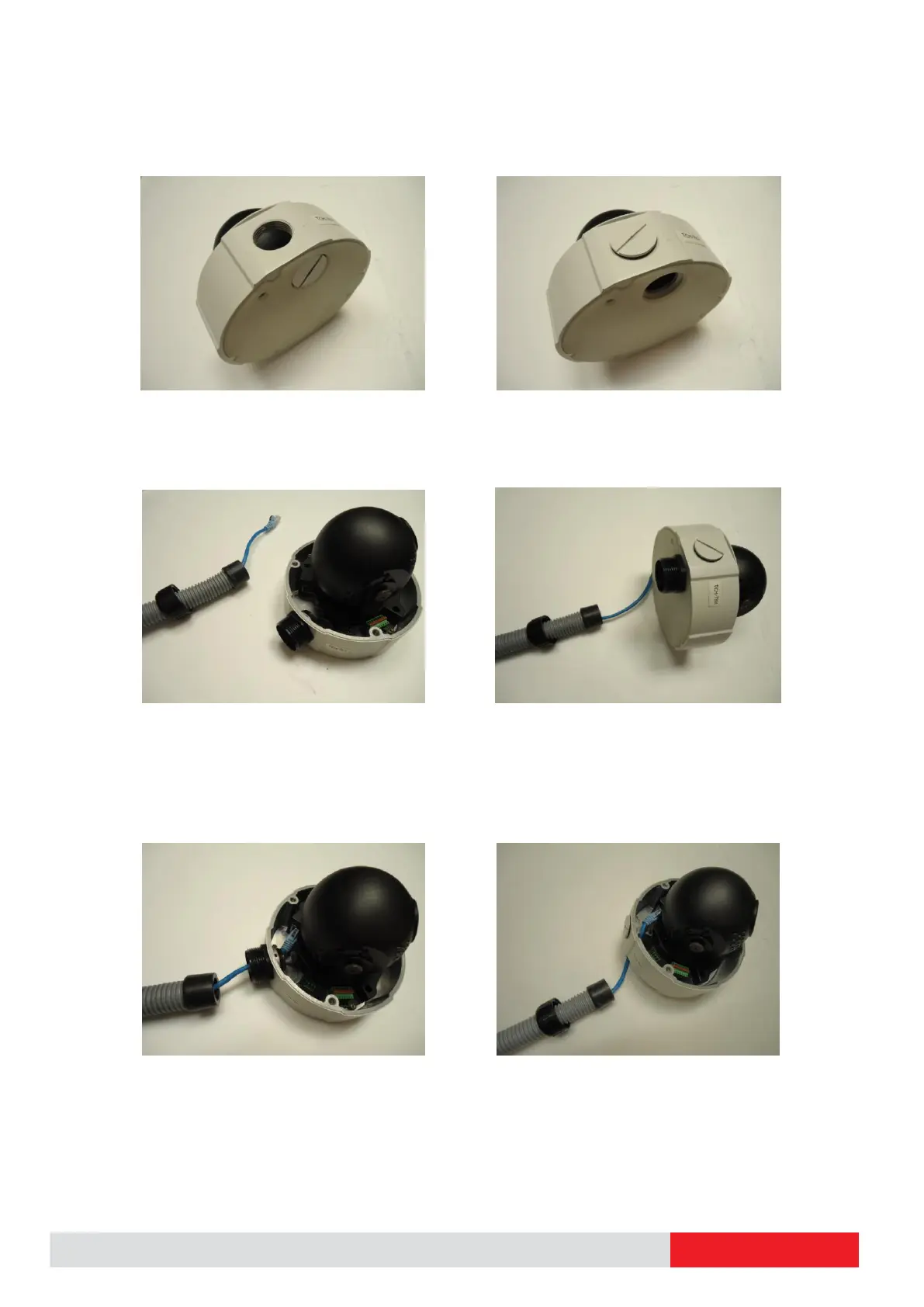
Scenario 1 – using the side hole. Scenario 2 – using the bottom hole.
Screw the body of the conduit gland into the camera and fix it with the lock nut (included in
the set of conduit gland that you purchased) from the inside of the camera..
Connect the Ethernet cable to the camera’s network port. If you are not using PoE, then please
remember to pull the DC power cable through the flex conduit as well, and connect to the
camera at this point.


 To Next Page