Hardware Manual
37
How to Connect Audio Devices
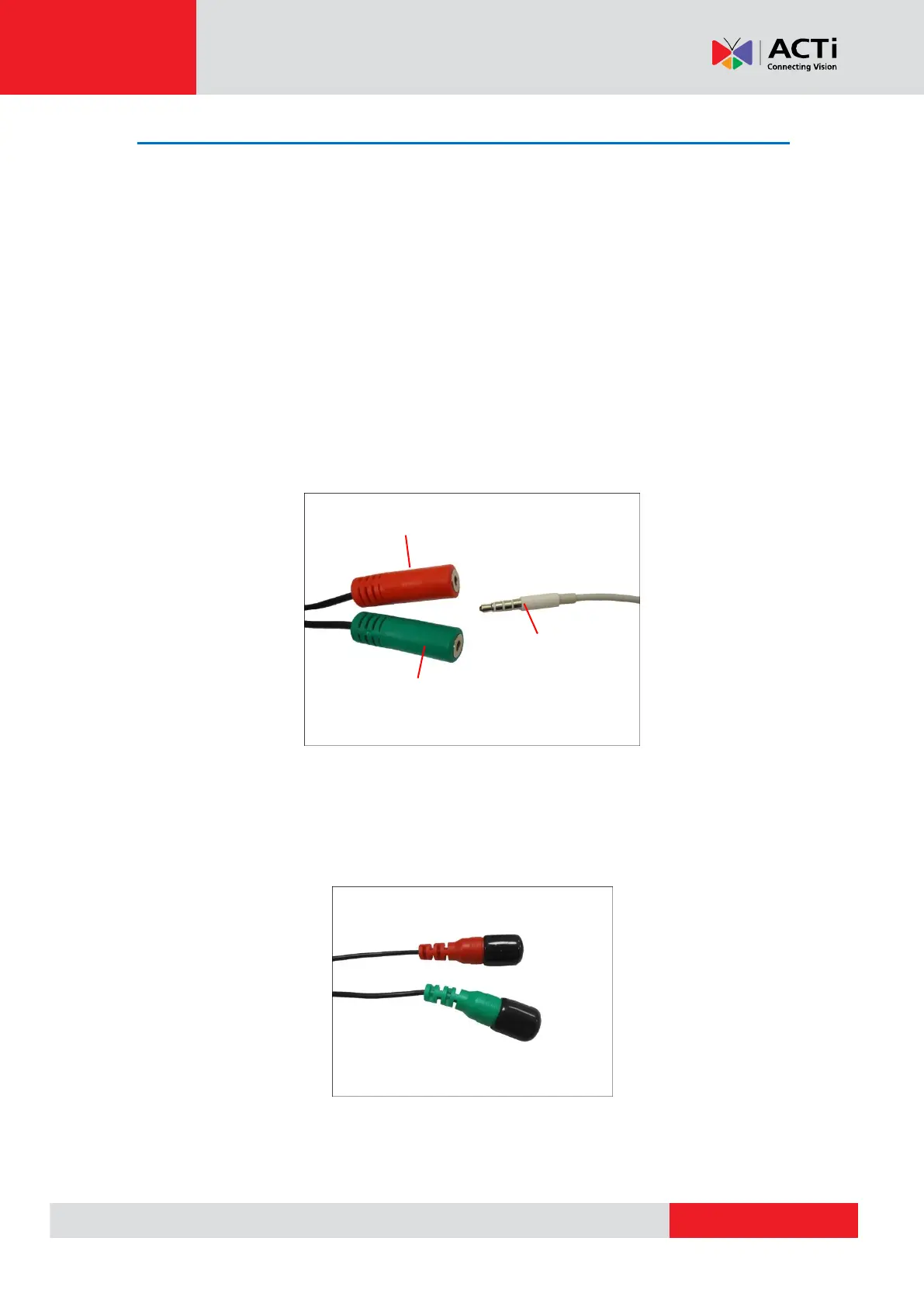
The camera comes with audio input / output jacks to connect a microphone or speaker to the
camera. The audio jacks are covered with a rubber protection.
If using an audio input device, such as a microphone with a built-in amplifier, connect the device
to the Audio Input jack (RED) of the camera. If using an audio output device, such as a speaker,
connect the device to the Audio Output jack (GREEN) jack of the camera.
If the camera is installed outdoors, be sure o wrap the audio connectors with Waterproof tape
(can be purchased in hardware stores).
DISCLAIMER: ACTi will not be responsible for damaged cameras due to water leakage caused
by improper waterproofing of cables.
NOTE 1: Make sure that the connected audio input device has a built-in amplifier. Connecting an
ordinary microphone will dwarf sounds and will result in inaudible recording.
NOTE 2: If the audio connectors will not be used, leave the rubber caps on to avoid water and
dust from entering the connectors.



 To Next Page