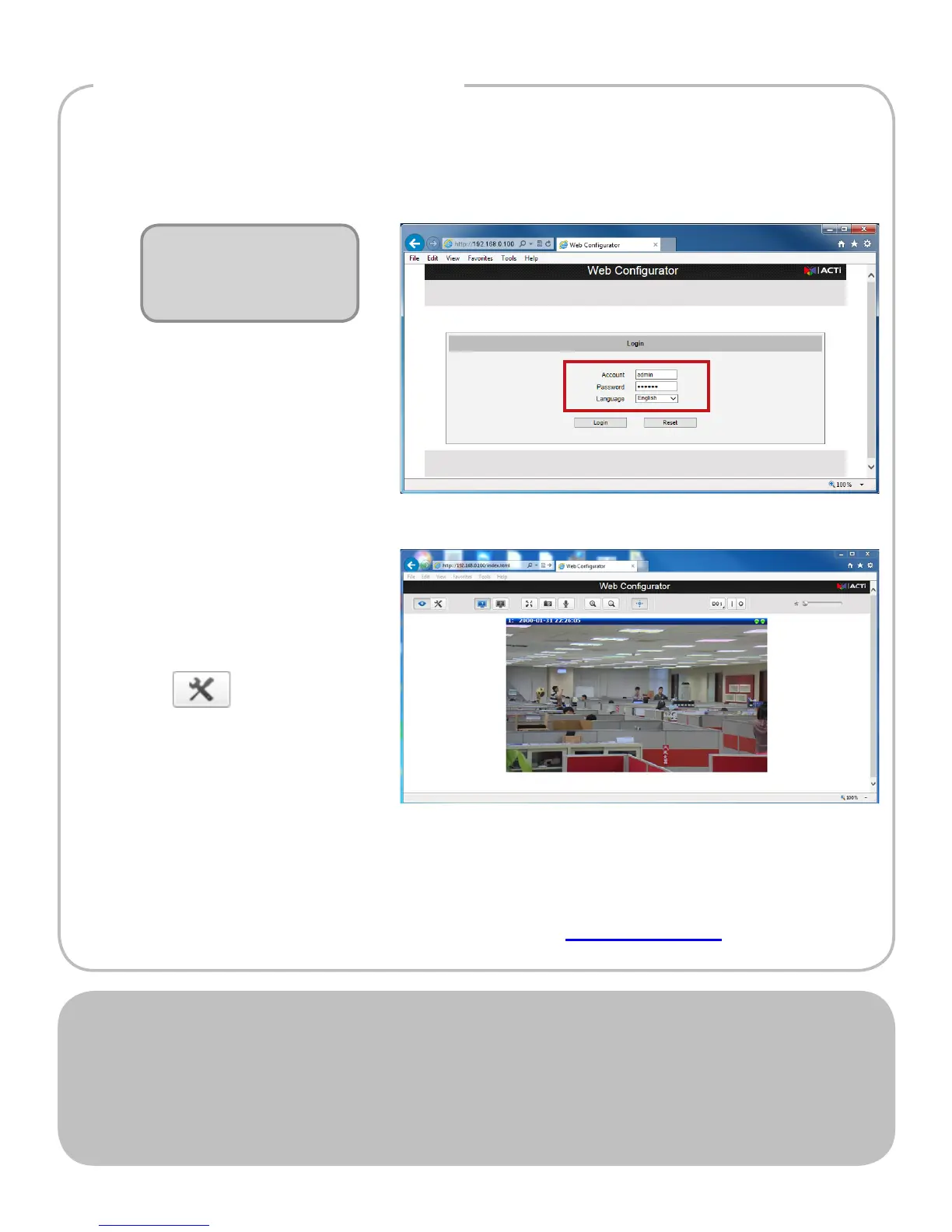
Step 5: Log-in
Default
Account: admin
Password: 123456
1. On the Login page, type the Account and Password.
2. Select Language,
if necessary.
3. Click Login.
The Live View screen
appears.
4. Click to access the
Setup menu to modify
the Camera settings.
For more detailed instructions, please refer to the “Firmware
Manual” downloadable from the website (www.acti.com).
ACTi Connecting Vision and its logo are registered trademarks of ACTi Corporation.
Microsoft
®
and Windows
®
are registered trademarks of Microsoft Corporation.
All other products or company names mentioned in this document are trademarks or
registered trademarks of their respective owners.
Copyright © 2014, ACTi Corporation All Rights Reserved
V.2014.05.30



 To Previous Page