HARDWARE MANUAL
21
8. Proceed with Step 4: Install the Camera to the Surface on page 24.
Waterproof Solution with Conduit
This section describes the procedures to waterproof the cabling connections using a flexible
conduit with 1/2” trade size (not supplied). This is the recommended solution when connecting
an external power adapter, audio in/out, or digital input/output (DI/DO) devices to the camera.
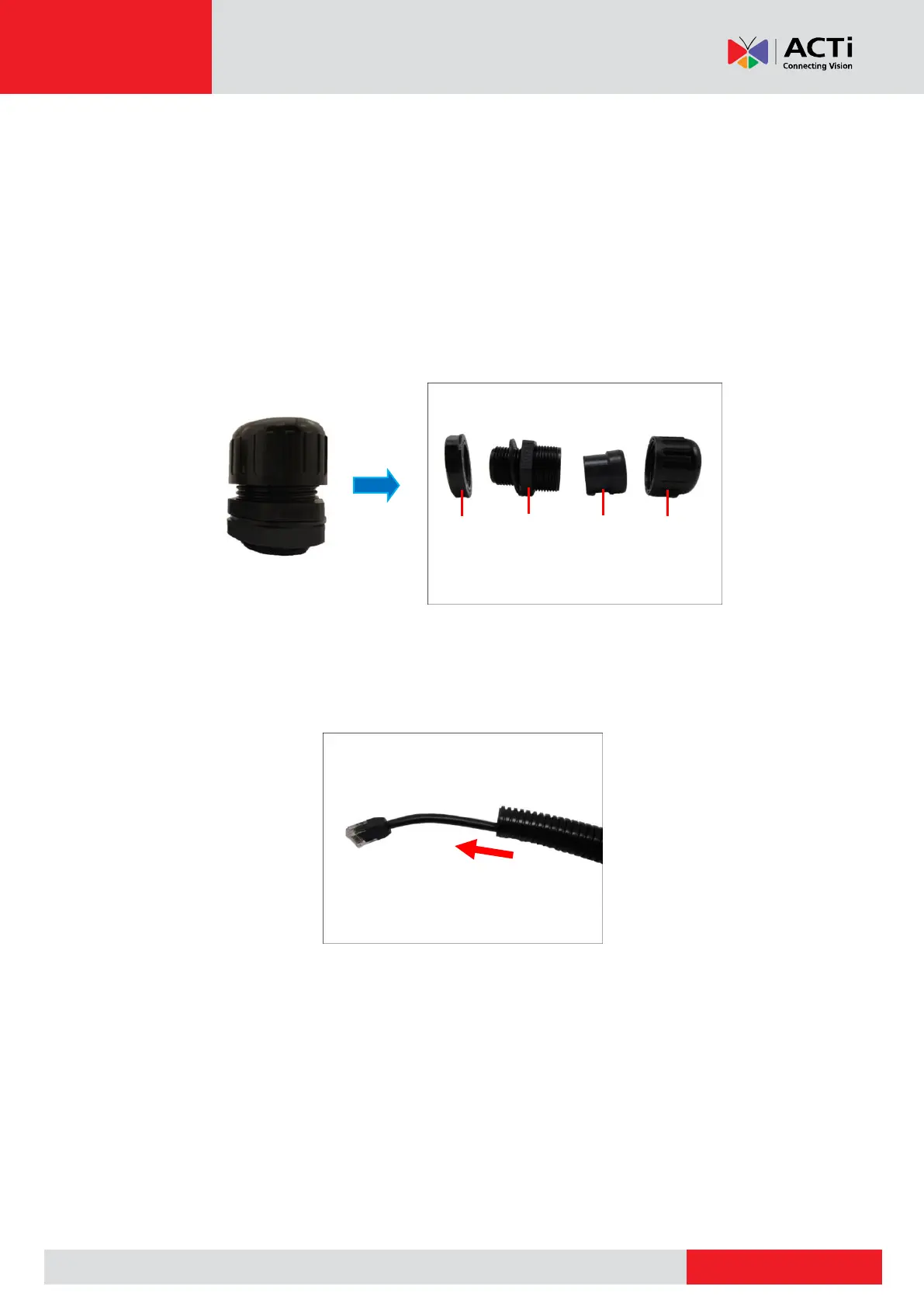
1. Disassemble the cable gland as shown below:
NOTE: In this installation, the conduit gland body can be securely attached to the camera,
therefore the use of lock nut is not necessary. Please set the lock nut aside.
2. Pull the Ethernet cable and other cables (if any) through the flex conduit.
NOTE: To connect an external power adapter, audio in/out, or digital input/output (DI/DO)
devices, insert the cables without connectors through the flex conduit together with the
Ethernet cable at this point.



 To Next Page