16
Chapter 3 Working with Bluetooth
3.4 Connect to a Bluetooth Headset
1. Put your Bluetooth headset in discovery mode by pressing and holding the
On button for 4-6 seconds. (Each headset has a different setting so make sure and
have your Bluetooth Headset manual ready.)
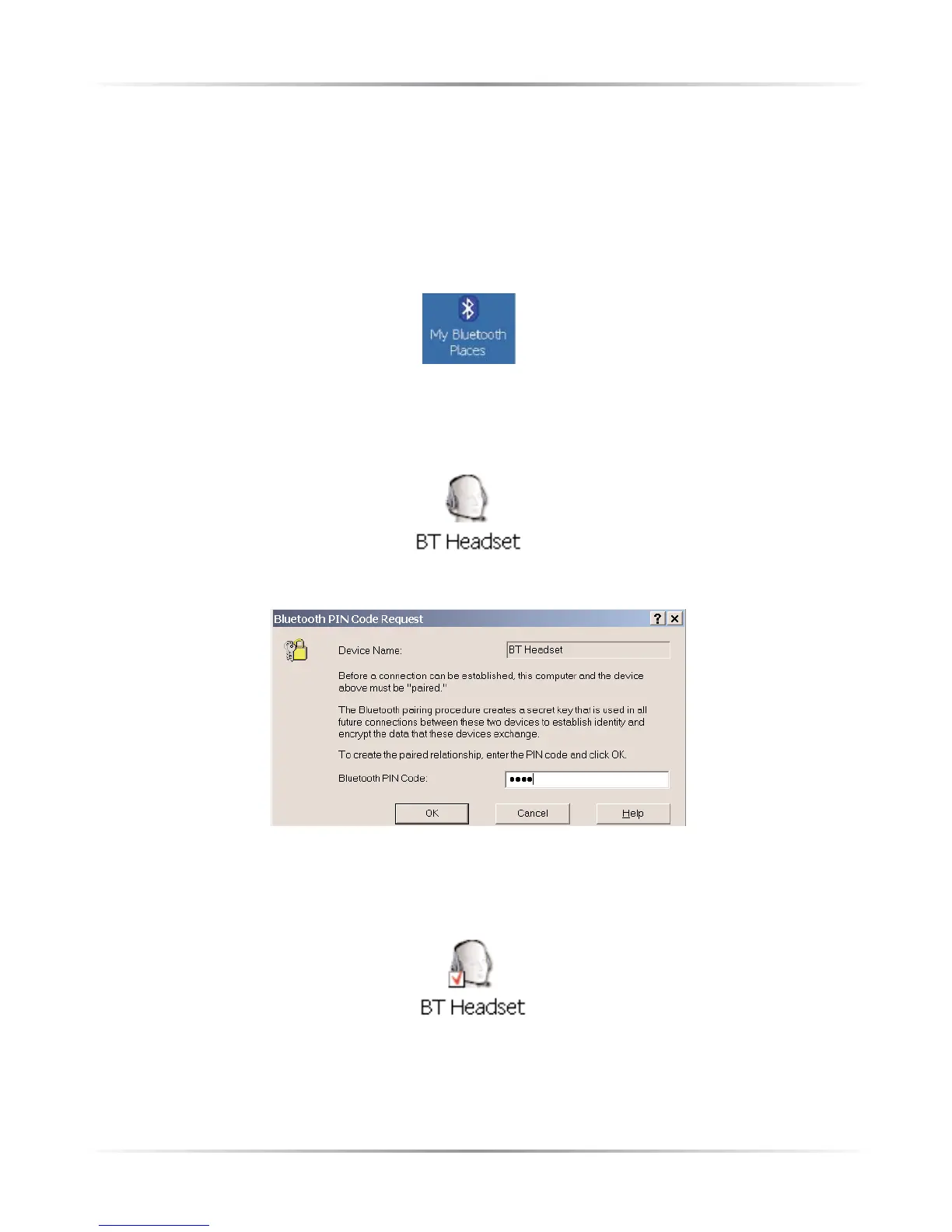
2. Double-click on the My Bluetooth Places icon on your computer desktop.
3. Double-click on the Find Bluetooth Devices icon. If nothing shows up,
press F5 or refresh to search again. The BT Headset icon should appear
4. Right-click on the Bluetooth Headset Icon and select Pair Device
5. Enter the headset's PIN code (Refer to the headset manual)
6. Double-click on the Bluetooth Headset icon.



 To Next Page