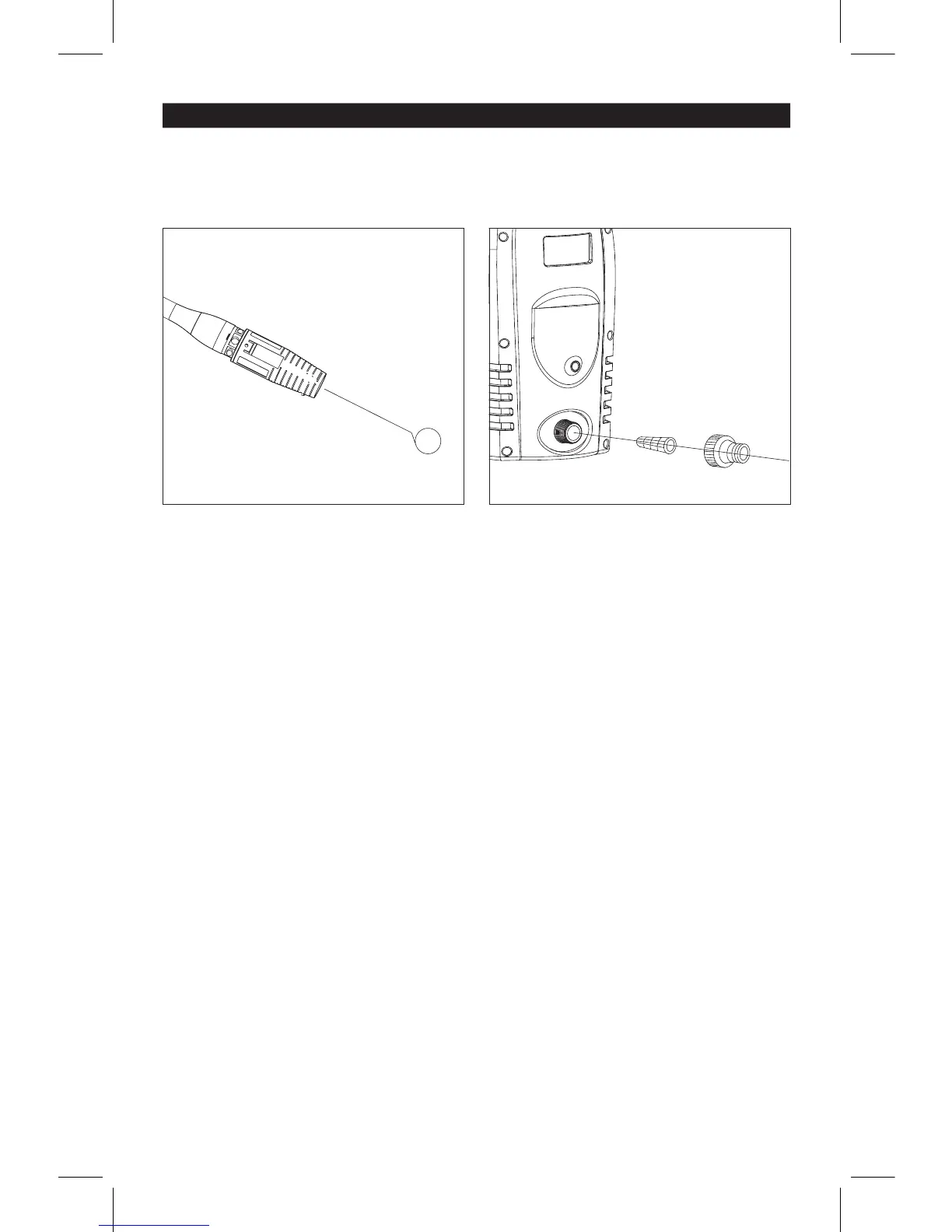
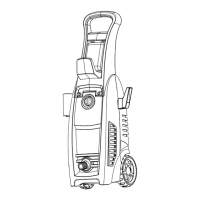
Fig.14Fig.13
Air Vents
Th
e air vents located on the sides of the pressure
washer
must be kept clean and free of any obstruc-
tions
to ensure proper air-cooling of the motor during
operation.
To clean inner water screen, remove quick-
connector
and remove the filter screen from the
pump
inlet (Fig.12).
Rinse
screen until it is free of debris and
blockage.
Replace
screen and quick-connector immediately
to
prevent any foreign matter from entering the
pump.
3.
2.
1.
Water Filter Screen
The pressure washer is equipped with a water inlet
filter
that prevents debris going into the pump. If the
filter
is not kept clean, the flow of water to the
pressure
washer will be restricted and the pump may
be damaged
.
Adjustable Nozzle
When the nozzle is clogged, it will cause the pump
to
build pressure and may cause the unit to surge.
You can clean the nozzle by carefully inserting a
thin,
sharp instrument (i.e. paperclip) into the tip to
rid
it of deposits.
For
the adjustable nozzle, you can also lubricate the
nozzl
e collar (high-pressure/low-pressure) by
using
non-water soluble grease regularly.
Connections
Connections on pressure washer hoses, gun and spray wand should be cleaned regularly and lubricated with
non-water
soluable grease.
USER MAINTENANCE
12



 To Next Page