C. Available Accessories/ Service Components
• Belt
• Wheel sets (3 passive wheels + 1 driving wheel, not including bearings)
• Driving wheel (not including bearings)
• Wheel bearing sets (8 bearings)
• Blink™ Strap
• ACTON Helmet
III. USING BLINK®
A. Riding & Beginner Tips
The following is a quick start guide for experienced skateboarders.
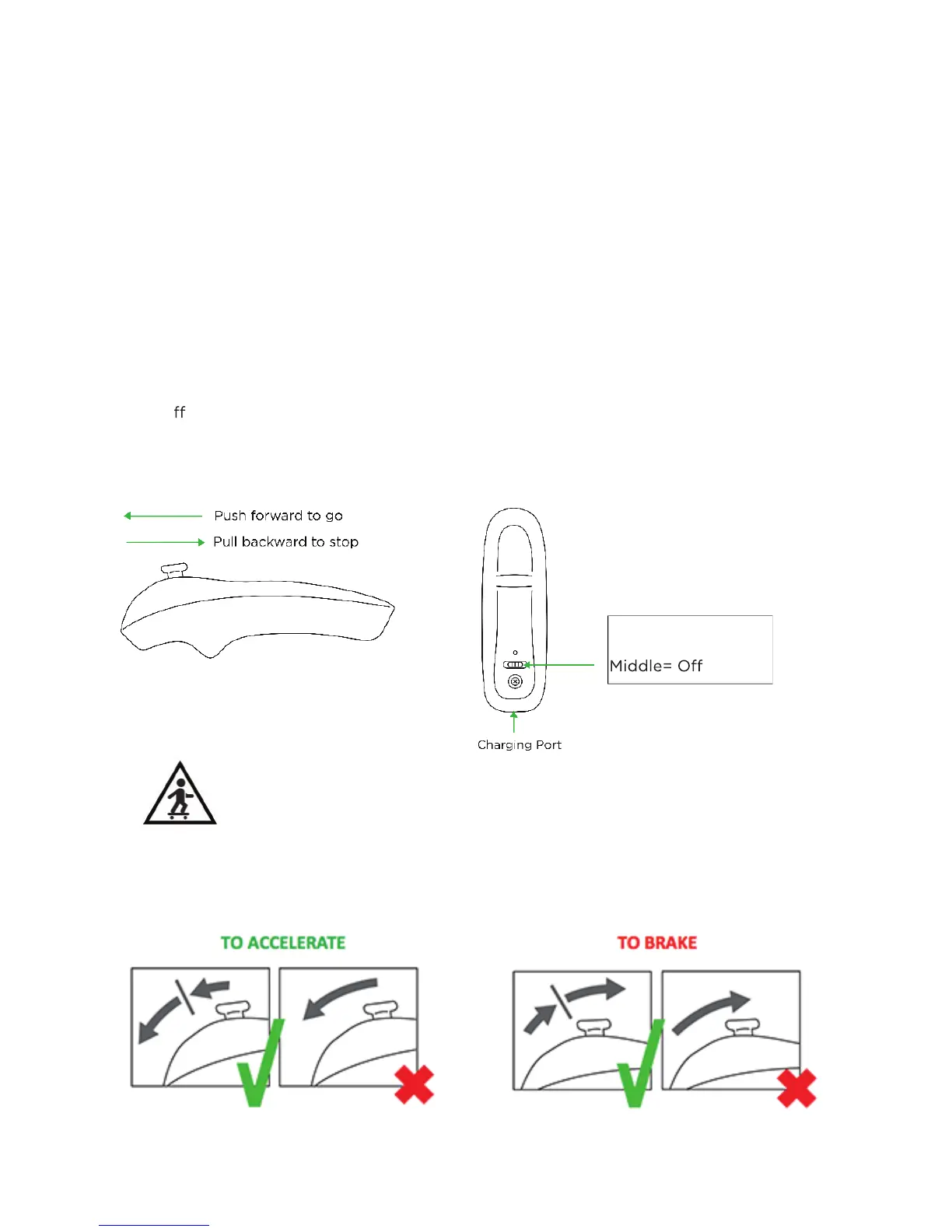
The remote is provided to control the acceleration and speed.
There are three modes for Blink®: BEGINNER, NORMAL and PRO. You may change the
modes from the App. Please download the app “ACTON” to your phone. Currently we
only o er the app for Android 4.3+ and iOS iPhone 5+. For your safety, please set to
BEGINNER mode on the app home page to start with. Only set to NORMAL mode when
you are a comfortable rider. Only set to PRO mode when you are very familiar with the
BLINK®
WARNING: The throttle is sensitive. YOU MUST USE THROTTLE GENTLY TO AVOID
GETTING THROWN OFF!
5
Left or Right= On


 To Next Page