
 To Next Page


T
Tara MarshallAug 15, 2025
What to do if ActronAir Network Router displays fault code?
- Eerica43Aug 15, 2025
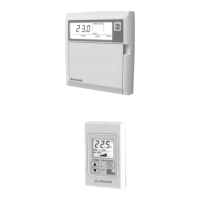
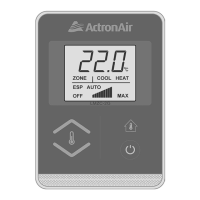
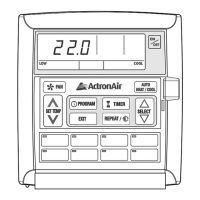
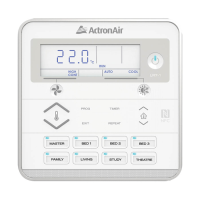
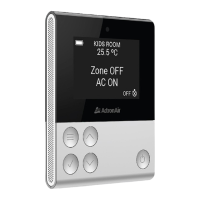
If 'EXX' is displayed on the wall controller, record the digits following 'E' and contact your installer.

What to do if ActronAir Network Router displays fault code?
If 'EXX' is displayed on the wall controller, record the digits following 'E' and contact your installer.
Why is ActronAir Network Router cooling or heating not sufficient?
Insufficient cooling or heating can occur if the return air filter is clogged with dust and dirt. Ensure the air inlet and outlet on the outdoor unit are not blocked. Also, the outside temperature being above or below the design conditions can affect performance.
Why is my ActronAir Network Router making noises?
Various noises can occur during operation: * A swishing or gurgling noise might be heard when heating or cooling starts or stops, caused by refrigerant flow. * A whooshing noise from the outdoor unit can occur during defrost as the refrigerant changes direction. * The outdoor unit may be louder than normal on start-up as the compressor reaches speed and pressure. * The compressor might generate more noise than usual during defrost operation.
How to troubleshoot ActronAir Network Router when the system does not start?
If the system doesn't start: * Ensure that 5 minutes has passed since turning it on, as the system has safety timers. * Verify that the thermostat settings are correct. * Check that the thermostat set-point is low enough for cooling or high enough for heating.
What to do if air does not flow from ActronAir Network Router indoor unit?
If air isn't flowing from the indoor unit: * Check if the zones are switched on (if fitted). * Note that during heating, air might not flow for about 15 seconds after startup to prevent cold drafts. * Also, during the outdoor unit's defrost cycle in heating mode, the indoor fan might not operate for several minutes to prevent cold air from blowing into the rooms.
Why set-temp can’t be adjusted on ActronAir Network Router?
If the set-temp cannot be adjusted, check that your wall control set-temp limits are not being exceeded and that the upper and lower temperature limits are set correctly.
Why is water coming from my ActronAir Network Router outdoor unit?
Water coming from the outdoor unit during heating operation is normal. It's due to water forming on the heat exchanger.
Why is there steam coming from my ActronAir Network Router outdoor unit?
Steam from the outdoor unit is caused by the defrosting process during heating operation in cold conditions.
Why ActronAir Network Router 7-day timeclock is not accepting times I enter?
If the 7-day timeclock isn't accepting the times you enter, ensure that you don’t have overlapping times from another day and that you're not trying to set the time past the maximum allowable.
 General
| Compatibility | ActronAir ducted systems |
|---|---|
| Display | LCD touchscreen |
| Power Supply | 24V AC |
| Control Modes | Cool, Heat, Fan, Auto, Dry |
| Temperature Range | 16°C to 30°C |
| Type | Wall Controller |