EasyManua.ls Logo

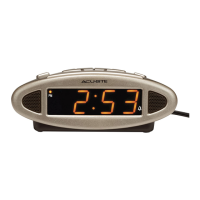
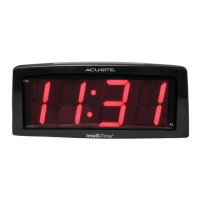
ACU-RITE Intelli-Time 13003 - User Manual

ACU-RITE Intelli-Time 13003
8 pages
Print Icon
To Next Page IconTo Next Page
Loading...
Instruction Manual
SAVE THIS MANUAL FOR FUTURE REFERENCE.
Questions? Contact Customer Support at
(877) 221-1252 or visit www.AcuRite.com.
CONTENTS
Unpacking Instructions ........... 2
Package Contents .................. 2
Product Registration ............... 2
Features & Benets ................. 3
Clock Setup ........................... 4
Intelli-Time
®
Clock .................. 4
Set the Time & Date ............... 4
Using the Alarm Clock ............ 5
Troubleshooting ..................... 6
Care & Maintenance .............. 6
Replace Intelli-Time
®
Battery ... 6
Specications ......................... 7
FCC Information .................... 7
Customer Support .................. 7
Warranty............................... 8
Intelli-Time
®
Alarm Clock
model 13003

Questions and Answers

  • D
    Daniel SmithJul 31, 2025
    Why does the colon blink on my ACU-RITE Intelli-Time 13003?
    • K
      kenneth94Jul 31, 2025
      The blinking colon (dots) on your ACU-RITE Alarm Clock indicates that the seconds are being counted. There is no way to stop the dots from blinking.
  • S
    Steven BrownAug 14, 2025
    What to do if my ACU-RITE Intelli-Time 13003 Alarm Clock won’t turn on or displays partial numbers?
    • K
      Kimberly LozanoAug 14, 2025
      If your ACU-RITE Alarm Clock won’t turn on or is displaying partial numbers, reset the unit by pressing the reset button located on the back of the clock. This will reset the alarm to the original factory settings. You will need to enter the time and date after the reset.

Summary

Unpacking Instructions

Features & Benefits

Clock Setup

Power Connection

Plug the device's power cord into a power outlet to begin setup.

Time Zone and DST Selection

Select time zone and Daylight Saving Time (DST) using the switches on the clock's back.

Setting Time and Date

Enter SET MODE using the TIME SET button to adjust hour, minute, month, date, and year.

Using the Alarm Clock

Setting Alarm Time

Use ALARM SET and ADJUST buttons to set alarm hour and minute, then save.

Troubleshooting Guide

Customer Support

Limited One Year Warranty

ACU-RITE Intelli-Time 13003 Specifications

General IconGeneral
BrandACU-RITE
ModelIntelli-Time 13003
CategoryAlarm Clock
LanguageEnglish

Related product manuals