6
Functions
– Installation guide (DRO203, DRO300)
– Probing functions for presets (DRO300)
– Tool compensations (DRO203, DRO300)
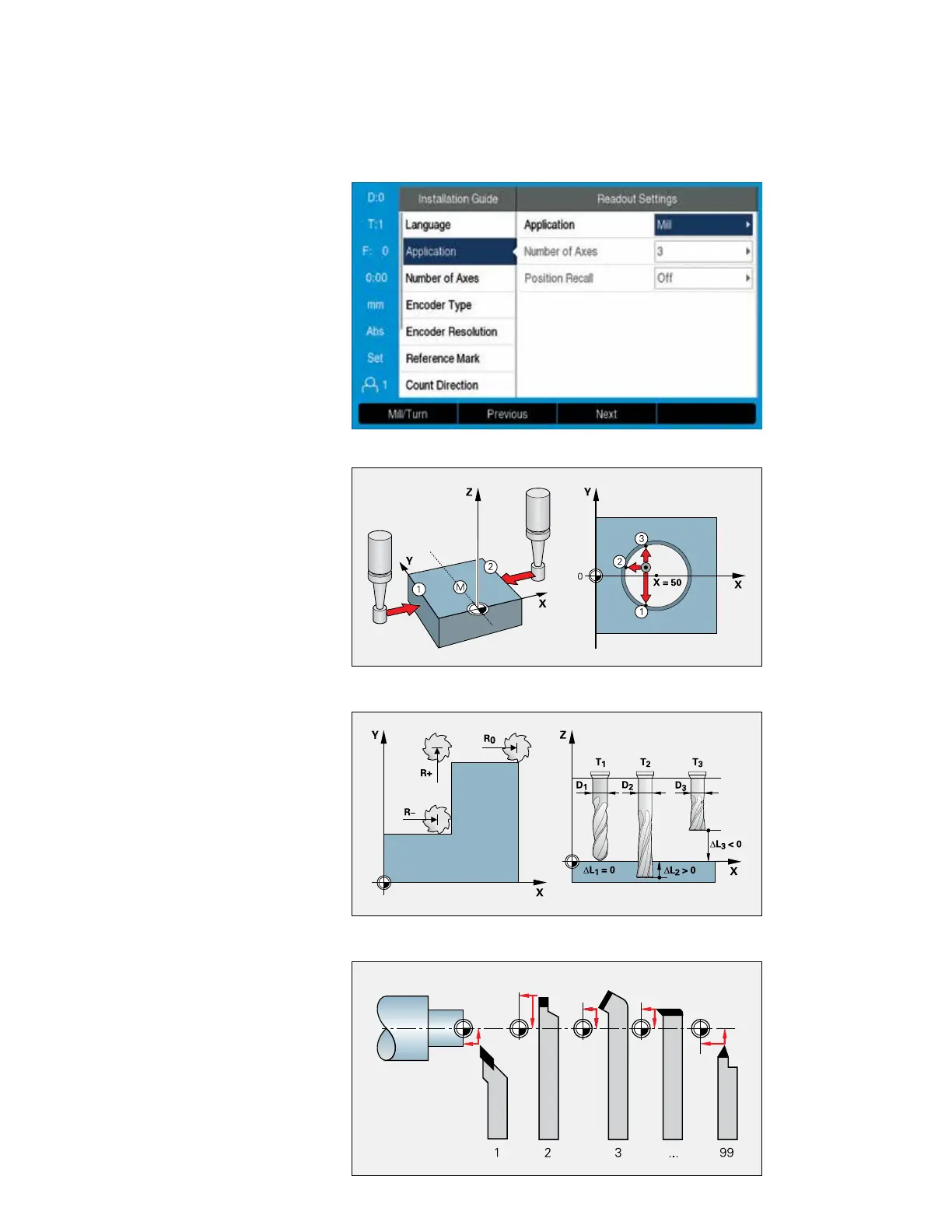
Installation guide
At rst switch-on, an installation guide will
guide you step by step through the congu-
ration of the unit. During this procedure, you
can select the connected encoder directly
from a list and thereby adopt all of the encoder
parameters. It only takes a few moments to
congure the basic functions of the digital
readout.
You can then separately congure further
settings such as scaling factor, error
compensation, etc.
Easy setup with probing functions
A very useful accessory for datum setting is
the HEIDENHAIN KT edge nder: simply
move the edge nder toward a side of the
workpiece until the stylus deects. The
digital readout stores the exact position on
its own and automatically takes into account
the direction of approach and the radius of
the stylus or the tool. For this purpose, the
digital readout provides the following probing
functions:
• Workpiece edge as reference line
• Workpiece centerline as reference line
• Circle center as datum
Tool compensation for milling machines
The ACU-RITE digital readouts save tool data
in a tool table (i.e., diameter and length of the
tool used). The data can come from preset
tools or be measured on the machine.
When positioning in distance-to-go mode, the
readouts take the tool radius (R+ or R–) in
the machining plane into account and con-
sider the tool length (L) in the spindle axis.
Determining and storing tool
compensation values on lathes
You can store the data for the tools you insert
in the turret or quick-change holder in the
tool table:
• Enter the tool position directly when
turning the rst diameter, or
• “freeze” the current axis position value,
retract the tool, measure the turned
diameter and then enter that value.
Changing the datum
If you change the workpiece or a datum, then
you can set a new preset. The tool data are
then automatically referenced to the new
datum and do not need to be changed.
Compensation of tool radius and length
Convenient datum setting with an edge nder


 To Next Page
 Loading...