9
– Assistance for working with lathes (DRO203, DRO300, DRO303)
Radius/diameter display
In lathe mode, you can see the positions
ofthe transverse axis in either radius or
diameter values. You can switch at a
keystroke.
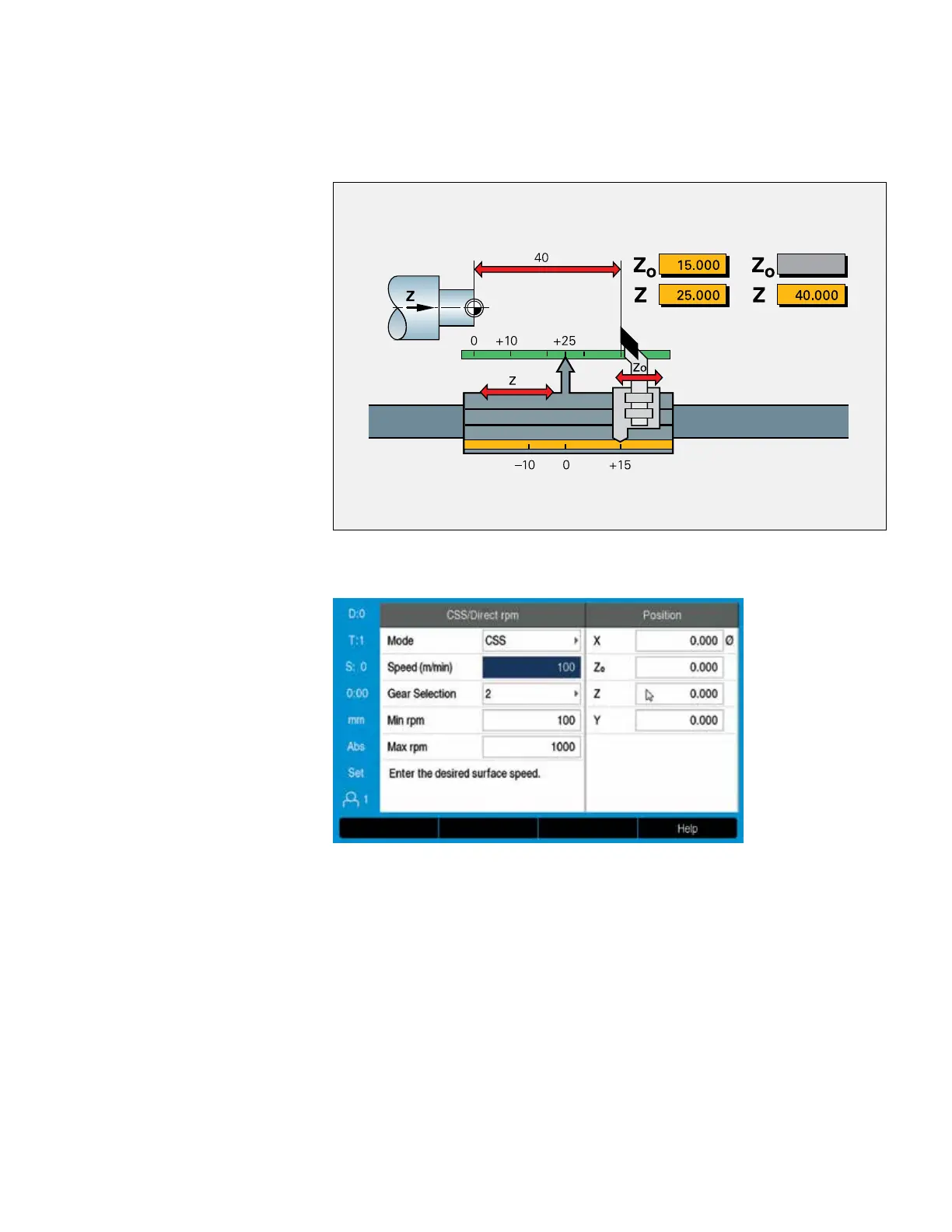
Sum display of longitudinal axes
In lathe mode, the positions of the saddle
and the top slide are displayed either
separately or as the sum of both values.
• If you select separate displays, the
position values are referenced to the
datum for each individual axis. If only the
saddle is moved, the displayed value for
the top-slide axis remains unchanged
• If sum display is selected, the counter
adds both values while taking the
algebraic sign into account. You can
thereby read the absolute position of the
tool in relation to the workpiece datum
without having to perform calculations.
• Vectoring (DRO203, DRO300)
The vectoring function breaks down a
movement into its longitudinal and
crossfeed axis components. If you are
turning threads, for example, vectoring lets
you see the diameter of the thread in the
X axis, even though you are moving the
compound axis handwheel
Taper turning made easy
(DRO203, DRO303)
If taper dimensions do not include the angle,
the integrated taper calculator will help you
with the calculation. Simply enter the taper
ratio or the two diameters and the length.
The correct angle for the top slide will be
displayed immediately.
Constant surface speed (DRO300)
Particularly in taper turning or parting, the
surface speed usually changes along with
the diameter. But a constant surface speed
is better for optimum machining results and
long tool life. In conjunction with the IOB 610
output module, the DRO 300 digital readout
therefore makes it possible to control a
constant surface speed contingent on the
current workpiece diameter.


 To Next Page
 Loading...