4 of 27
Acuity Brands | One Lithonia Way Conyers, GA 30012 Phone: 800.535.2465 www.acuitycontrols.com © 2014-2015 Acuity Brands Lighting, Inc. All rights reserved. 08/17/15
Lighting Channels
Overview
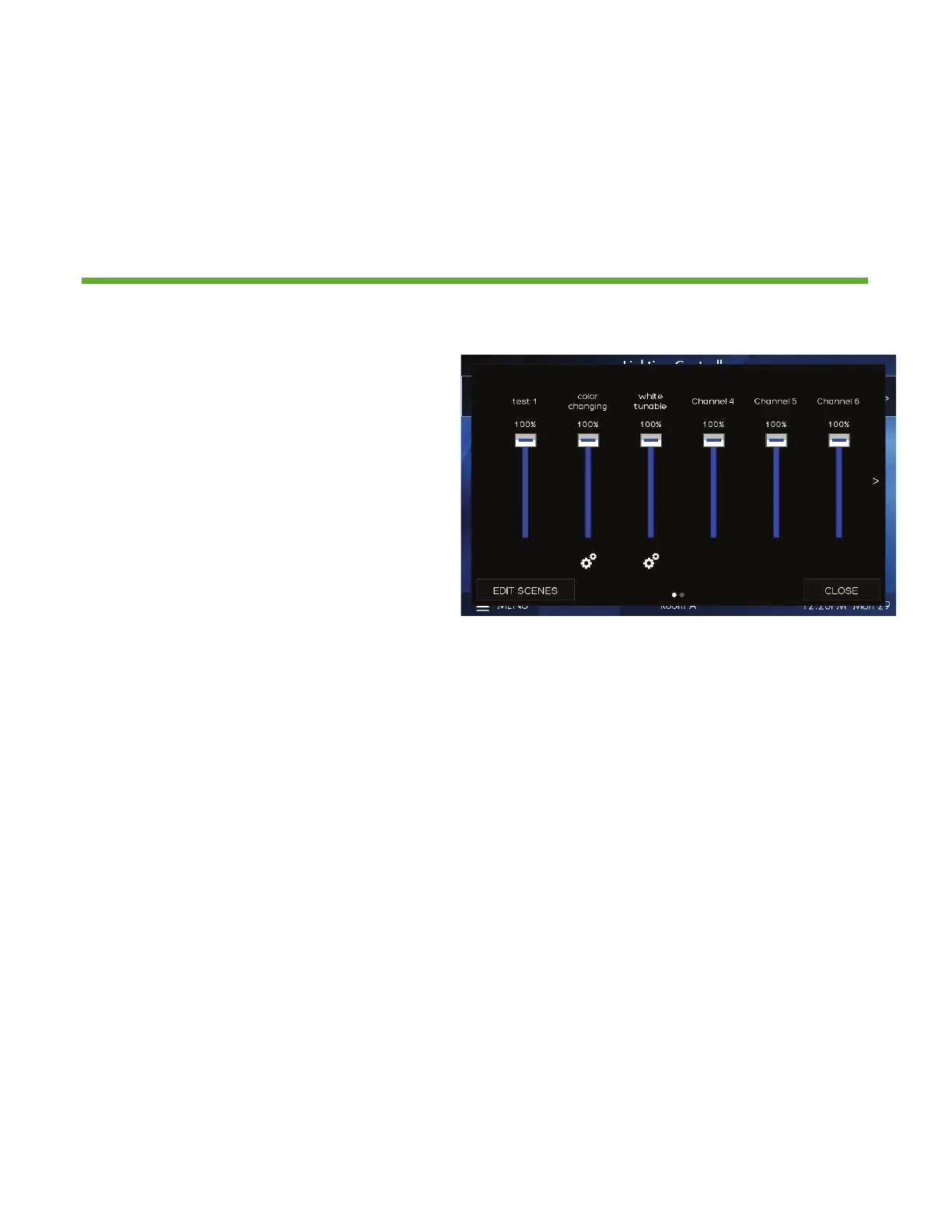
Control up to 36 individual zones of lighting using the sliders or rocker switch.
Adjustments such as intensity, color and color temperature are also controllable
here
1. Channels control individual areas of
lighting. These can control zones or
multiple zones (Groups) of lighting.
Groups can be created within the
system menu setup. The channel
names can be personalized within
the system setup settings
2. The icon (Attribute Control) below
the channel intensity slider indicates
additional control of DMX lighting
such as color and color temperature
3. EDIT SCENES accesses scene setup
and configuration. Once created
scenes are displayed/accessed from
the home screen


 To Next Page