5 of 27
Acuity Brands | One Lithonia Way Conyers, GA 30012 Phone: 800.535.2465 www.acuitycontrols.com © 2014-2015 Acuity Brands Lighting, Inc. All rights reserved. 08/17/15
Scene Creation
Overview
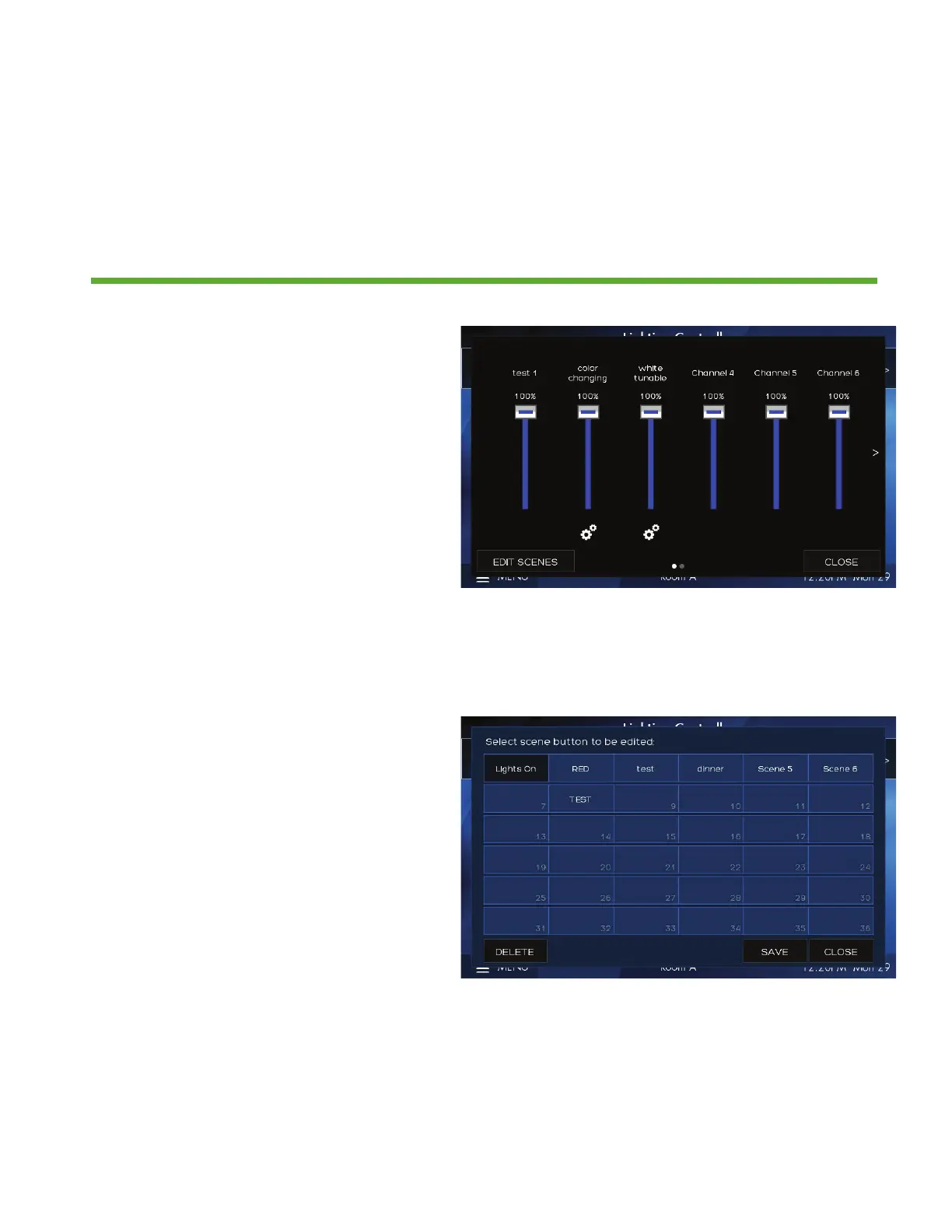
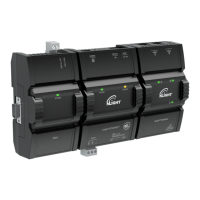
Each fresco station supports up to 36 lighting scenes. Scenes can made up of
multiple lighting channels,
1. Adjust individual channel intensity
levels
2. If available adjust color and/or
color temperature setting using by
pressing the attribute icon
3. After making adjustments press EDIT
SCENES
1. Assign new look to one of 36 new
scenes or overwrite existing scene


 To Next Page