80 Navigation System
Information Features
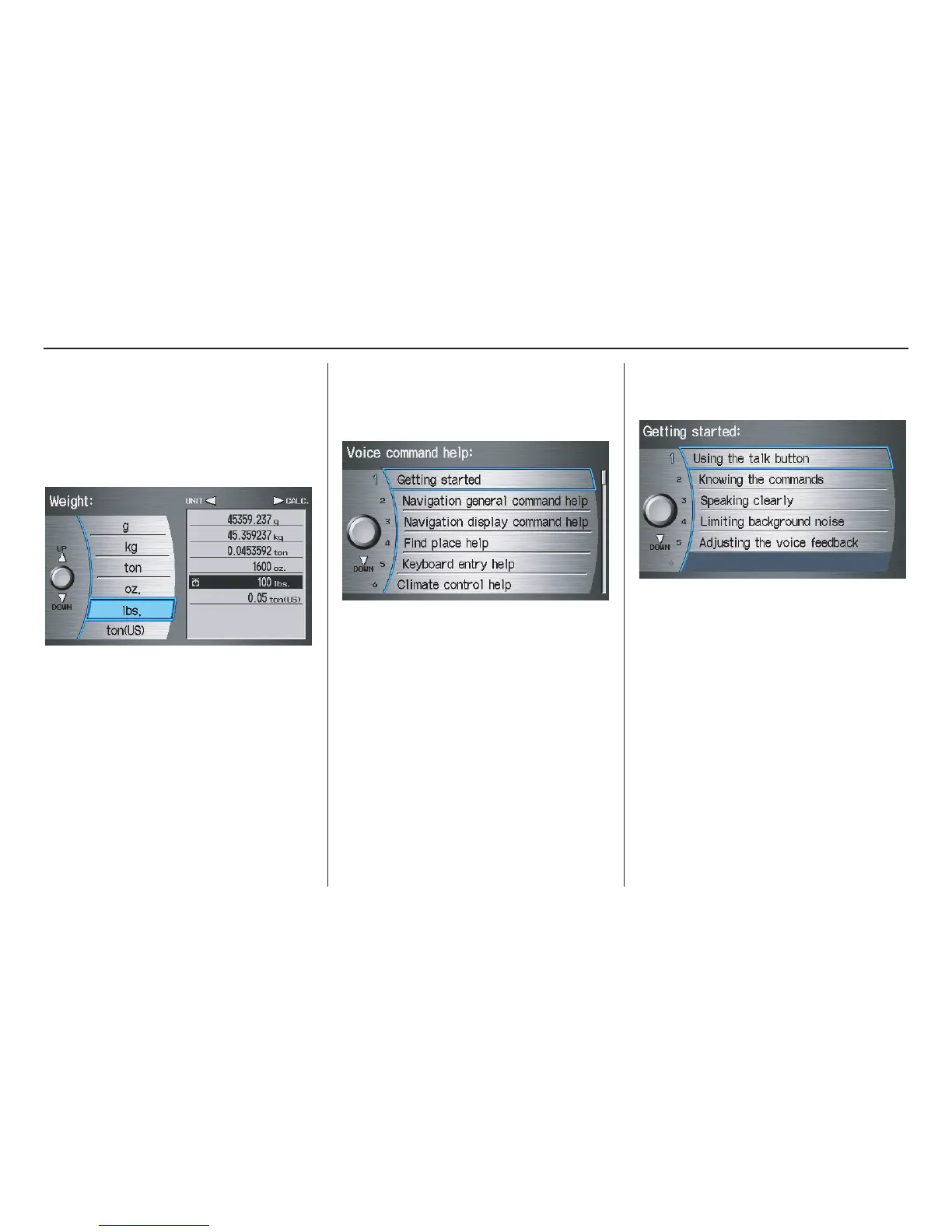
4. Select the base unit (e.g., pounds) that
you wish to convert to some other
unit. All other units will change
automatically depending on the base
unit value. In the example below, 100
lbs converts to 1600 ounces, 0.05 ton
(U.S.), etc.
NOTE:
• If you do not enter a value to be
converted, only “Temperature” units
are selectable.
• Conversions using negative values
may produce meaningless or
physically impossible values.
Voice Command Help
When you say or select Voice
Command Help, you will see the
following screen:
NOTE:
You can select an item by saying either
the line number or the item name.
There is a tutorial available for the voice
command help. Say or select Getting
started, and the display changes to:
Select the line number of the desired
tutorial you want to view, and the
tutorial will automatically be read.
Select STOP by moving the Interface
Dial right to stop the reading, or press
the CANCEL button.


 To Next Page
 Loading...


