Playing an iPod
®
or USB Flash Memory Device
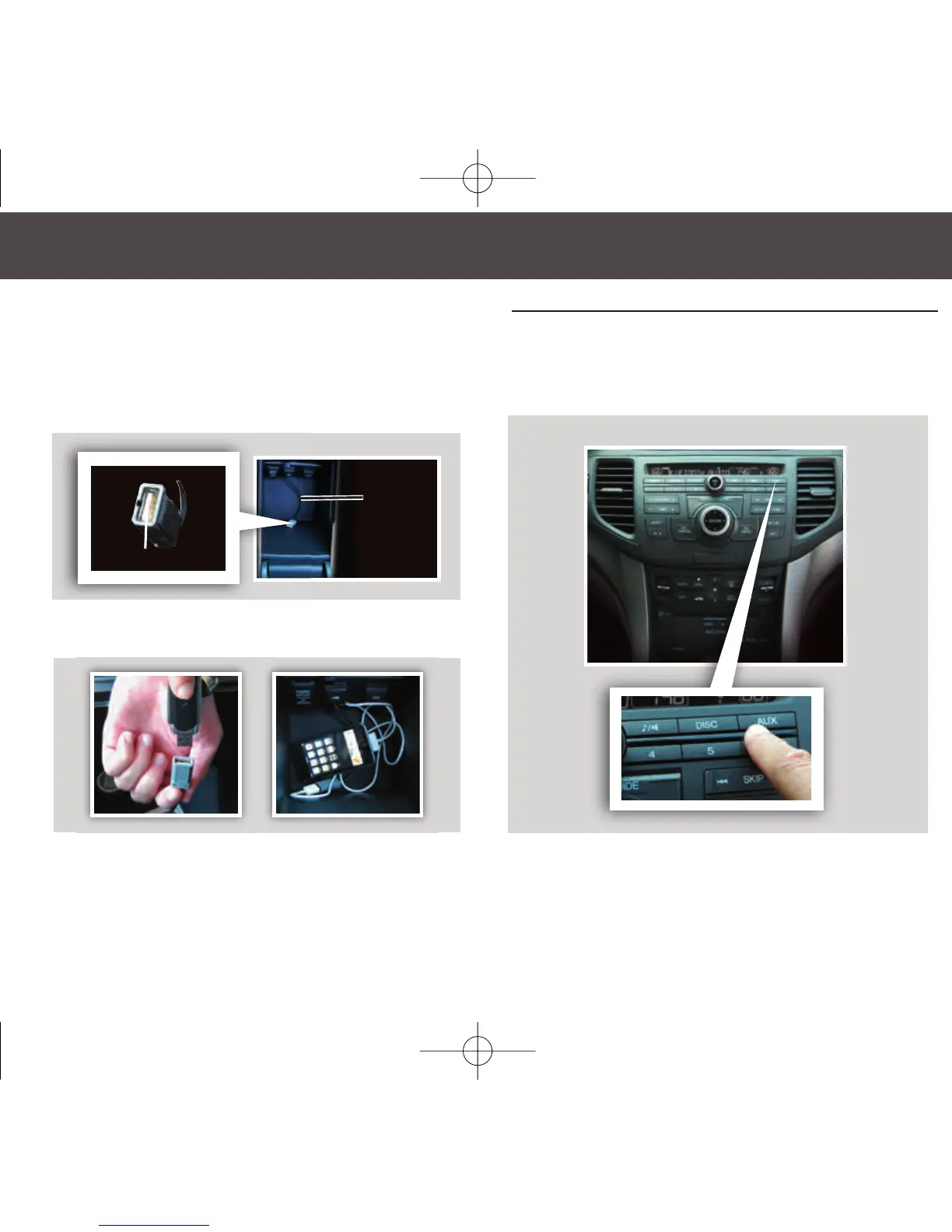
2. Connect the USB connector to your iPod
dock connector or flash drive.
3. Press the AUX button to begin playing.
USB
Adapter
Cable
USB Connector
Some CD player controls also operate an iPod or USB flash memory device.
Connecting and Beginning Play
1. Open the center console, and pull out the
USB adapter cable.
10 TSX ATG_9ab:ExtraPages.qxd 3/20/2009 2:04 PM Page b9


 To Next Page
 Loading...











