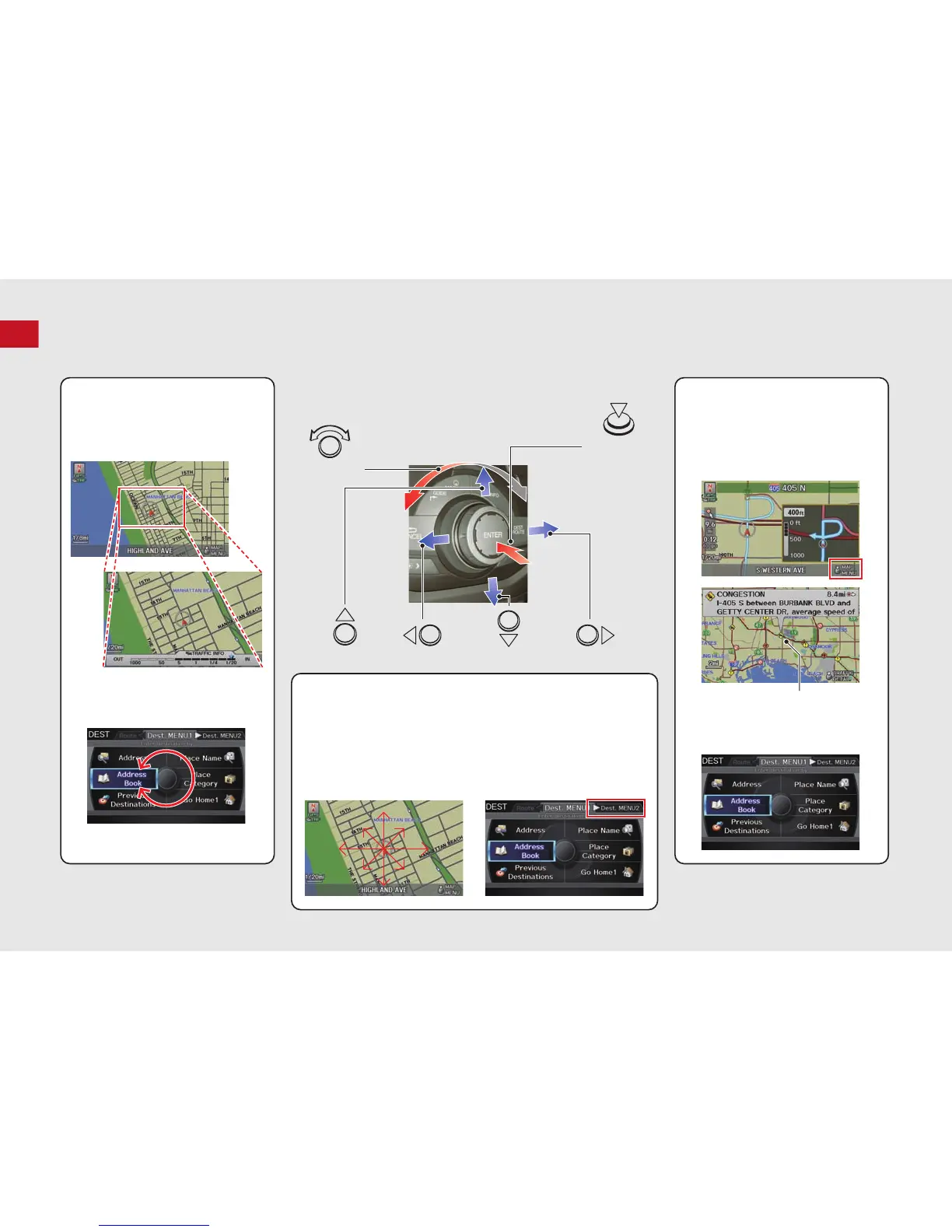
You will see these icons in each chapter.
They represent how you can operate the Interface Dial.
Changes scale
Map screens
Highlights menu options
Menu screens
Rotate dial
Press ENTER
Move up Move left Move down Move right
Scrolls map
(8 directions)
Map screens
Selects labeled
function
Menu screens
Selects function
Selects map icon
Map screens
Selecting Icon
Selects highlighted option
Menu screens
Rotate dial i Press ENTER u
Move
e up r down w left y right



 To Next Page
 Loading...












