When the light control switch is in the
ON position:
●
All the individual map lights come
on and stay on as long as the
switch remains in the ON position.
●
The cargo (3rd row) area light
comes on if the switch is in the
door activated position.
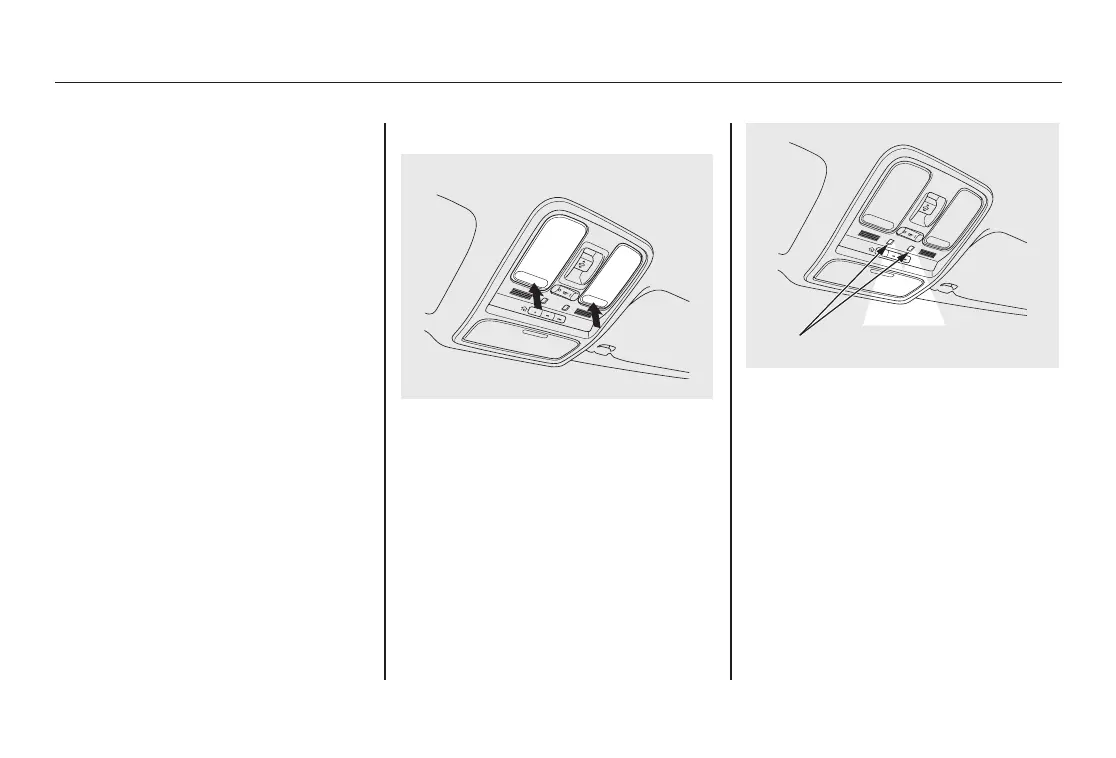
Individual Map Lights
Turn on the front row individual map
lights by pushing the lens. Push the
lens again to turn it off. With the light
control switch in the door activated
position, the second row map lights
can be turned on by pushing the
lens. Push the lens again to turn it
off.
The courtesy light between the map
lights comes on when you turn the
parking lights on. To adjust its
brightness, press either of the
instrument panel brightness control
buttons (+ or -).
FRONT
COURTESY LIGHT
Interior Lights
160
08/06/06 16:58:07 09 ACURA MDX MMC North America Owner's M 50 31STX620 enu



 To Next Page
 Loading...