262
uuAudio System Basic OperationuWi-Fi Connection
Wi-Fi Connection
This vehicle is equipped with Wi-Fi connectivity. By tethering to an external Wi-Fi
hotspot or communication device. In addition, the vehicle can be used by other
communication devices as a Wi-Fi hotspot via the telematics unit (TCU).
• Connect the vehicle to a Wi-Fi hotspot
• Use Wi-Fi inside the vehicle
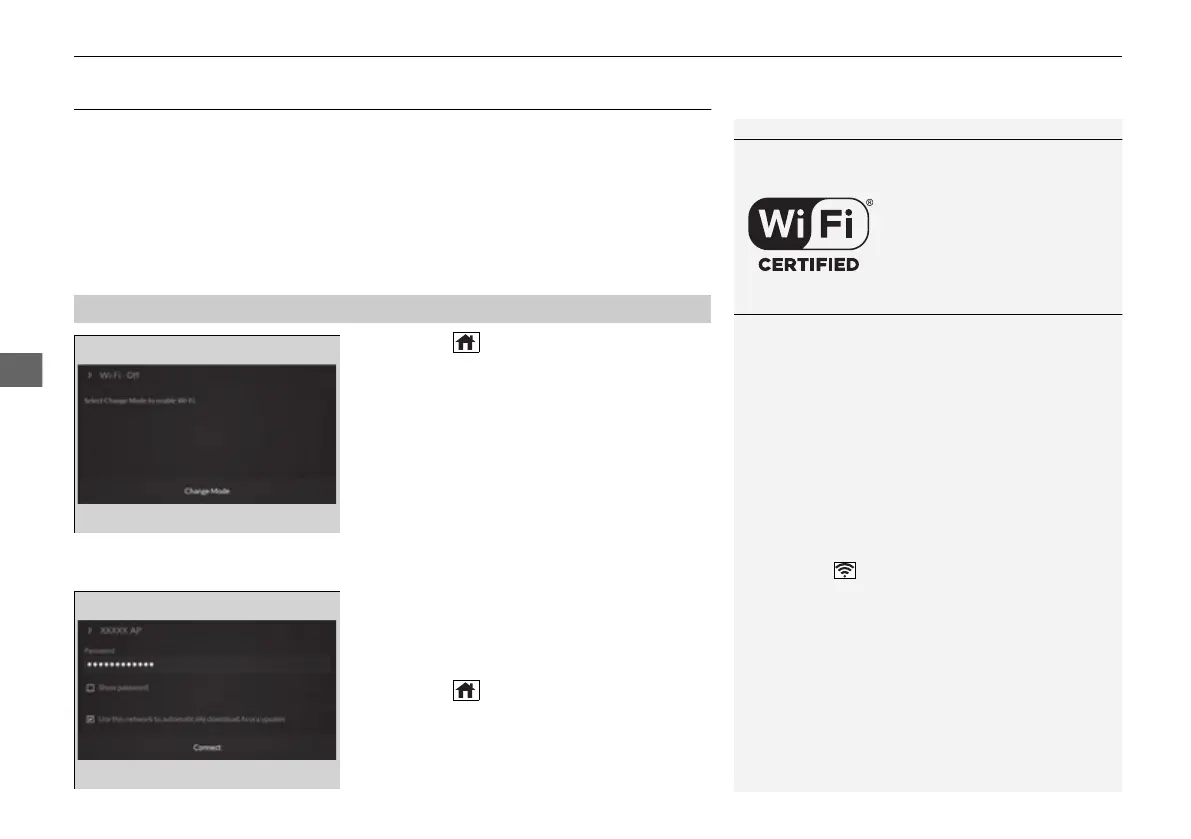
1. Press the (home) button.
2. Select Settings.
3. Select Connections.
4. Select Wi-Fi.
5. Select Change Mode.
6. Select Network.
u Select the access point you want to
connect to the system.
u When you change the mode from
Hotspot to Network, a pop-up
appears, then select Confirm.
7. Select Connect.
u Enter a password for the access point.
u When the connection is successful,
Connected is displayed on the list.
8. Press the (home) button to go back to
the home screen.
■
Connecting to a Wi-Fi Hotspot
1Wi-Fi Connection
Wi-Fi and Wi-Fi Direct a registered trademark of Wi-Fi
Alliance®.
1Connecting to a Wi-Fi Hotspot
You cannot go through the setting procedure while
the vehicle is moving. Park in a safe place to set the
audio system in Wi-Fi mode.
Some cell phone carriers charge for tethering and
smartphone data use. Check your phone’s data
subscription package.
Check your phone manual to find out if the phone
has Wi-Fi connectivity.
You can confirm whether Wi-Fi connection is on or
off with the icon on the system status area.
Transmission speed and others will not be displayed
on this screen.
2 Status Area P. 221
In case of Wi-Fi connection with your phone, make
sure your phone’s Wi-Fi setting is in access point
(tethering) mode.
21 ACURA TLX-31TGV6010.book 262 ページ 2021年3月15日 月曜日 午後3時9分



 To Next Page