13
Replace Intelli-Time
®
Battery
Intelli-Time technology is
powered by a pre-installed
coin-cell battery that stores
the time and date settings.
The battery has a shelf life of
several years. Time and date
will need to be entered after
replacing Intelli-Time battery.
To replace the Intelli-Time
battery:
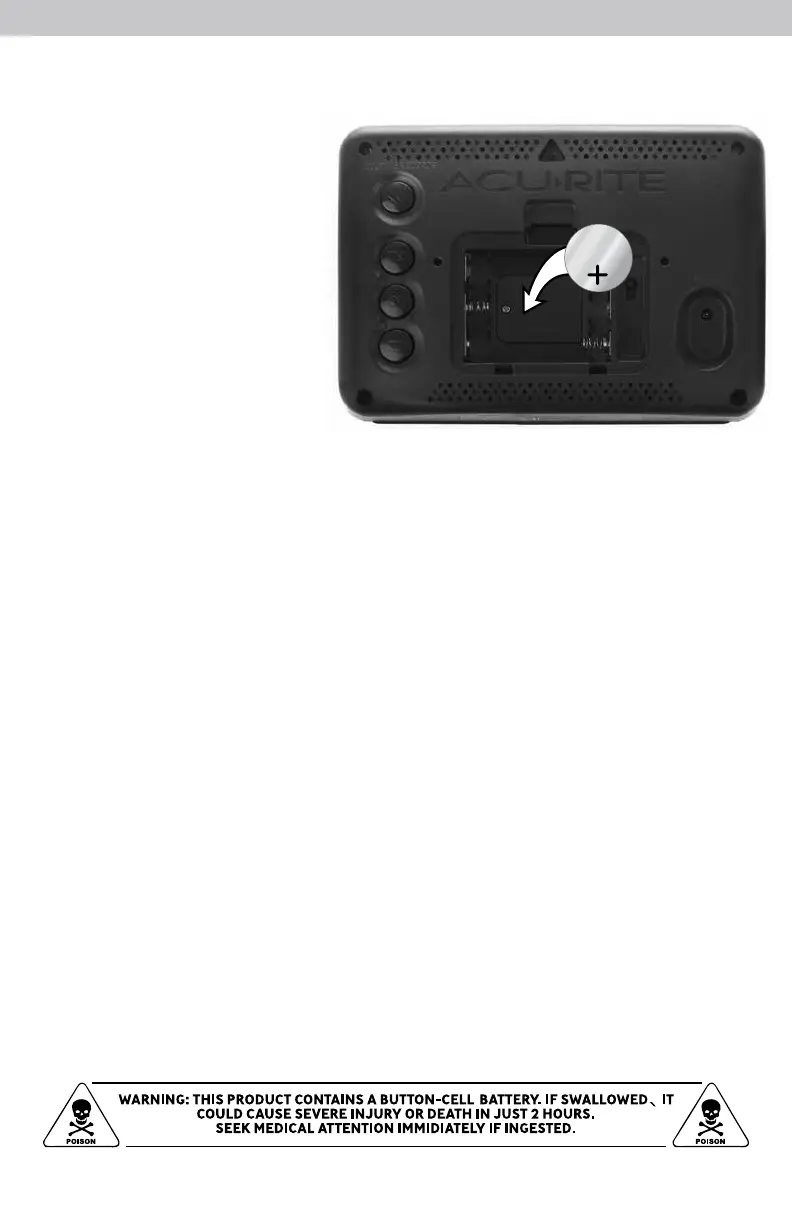
1. Locate the coin cell battery
compartment door on the
back of the display, inside
the battery compartment.
Unscrew and remove the compartment cover.
2. Insert 1 x CR2032 coin cell battery into the battery compartment, as shown.
Install battery with “+” positive terminal facing OUT.
3. Screw in the battery cover.
CR2032
3V


 To Next Page