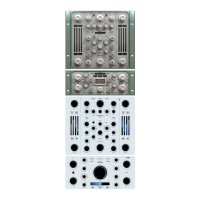
7-METERING & ADDITONAL CONTROL:
To adjust and measure Input-output level and gain reduction.
• Input-Output meters:
They measure the input and output levels of the plugin.
• Gain Reduction meters:
They measure (L-R) the reduction level applied by the com-
pressor. The meter indicates ‘0’ in the absence of any input signal or any gain reduction. If
the signal exceeds the compression threshold or limit level, the amount of gain reduction is
shown.
• Input gain:
Controls the input level of the plugin (range: -24/+24 dB).
• Output gain:
Controls the output level of the plugin (range: -24/+24 dB).
• Eq Oversampling (OS 2X):
Modifies the oversampling rate to improve the audio quality
increasing the sampling frequency of the Algorithmic EQs included in the Dyn eq and the
Static EQs. (NOTE: this control only affects algorithmic Eqs).
• Size:
Adjust the whole plugin-GUI size.
Choose between 3 magnifications (1x - 1.5x - 2x) from the top left SIZE drop-down menu.
Once the desired size has been selected, the plugin must be removed and re-load in order
to apply the new size.This action affects the currently selected plugin. New instances of the
same plugin will open with this size.
WORKFLOW
Below we’ll take a look, step by step, at the basic Jet workflow:
1) Select an eq band from the HF and LF section.
2) Press eq in the listening section and adjust the COMP/EXP and frequency controls to
achieve the desired result.
3) Press RUN to listen to the Dyn Eq in action, adjust the threshold and sensitivity to increase
the Eq action.
4) Enable the static eq to balance the Dyn Eq effect by adjusting the gain.



 To Next Page