Tiger is a powerful compressor plugin suite developed by Acustica Audio, designed to offer a comprehensive and versatile dynamic processing experience. It is the first Acqua plugin suite based on Acustica's second-generation 'Hyper' technology, incorporating a collection of renowned compressors. The suite aims to overcome the limitations of analog compression while maintaining musicality, and it introduces advanced features for handling transients and sustained signals.
Function Description
Tiger is not designed to imitate a single vintage item but rather to be a "chameleon-like" object that can emulate various compressors, surpassing their individual limitations. It avoids including final clippers and brick-wall limiters to prevent unnecessary complication and duplication of functionality found in other products.
The plugin suite offers two distinct graphical user interfaces (GUIs): a 3D 'Acustica's classic-style' GUI (TIGER & TIGER MIX) and a 2D 'modern-style' GUI (TIGER 'Flat' & TIGER MIX 'Flat'). Each plug-in also comes in a "Standard" version and an alternative "ZL*" version, which operates at zero latency, making it suitable for tracking at the cost of additional processing resources.
Tiger's core functionality revolves around a dual dynamic unit system:
- Fast Compressor Module: This unit is primarily PEAK type (though configurable) and operates with faster time constants, dedicated to processing the transient part of the signal.
- Slow Compressor Module: This unit is RMS type, features slower time constants, and is addressed to the sustain part of the signal.
These two units can be used independently or blended together to optimize dynamic action.
Key features of Tiger include:
- Compression Curves: A long list of compression curves accurately sampled from both analog compressors and software, ensuring authentic and nuanced dynamic shaping.
- Attack and Release Shapes: Implements attack and release curve shapes in its detectors, derived from high-quality hardware. These multi-segment shapes provide program-dependent characteristics, akin to "auto-attack and auto-release on steroids."
- Shape Modulators (ASHMOD, RSHMOD): Introduces modulators for attack and release times, allowing for fine-tuning of the attack and release envelopes based on analyzed hardware and software curves. This is the first time release modulation has been included in an Acustica product.
- HOLD Functionality: Features a HOLD function for both attack and release, a rare combination in software compressors, which helps preserve transients.
- Variable-Weighted Detectors: Utilizes multiple variable-weighted detectors to handle transients simultaneously with the rest of the signal, contributing to its program-dependent nature.
- Managed Fast and Slow Compression: Balances aggressive and soft compressions within the same pattern using a managed fast and slow compressor concept.
- Integrator (POWER): Incorporates an integrator in the detectors to parametrically manage transient response speed, allowing Tiger to represent compressors based on variable-pitch RMS power measurements.
- Sidechain Circuit (DEEP SPACE): Includes a dedicated circuit in the sidechain path to optimize distortion, especially with fast time constants.
- True Look-Ahead: Offers a true look-ahead on the attack, independent of the release, to further optimize distortion with fast time constants.
- Comprehensive Sidechain Equalizer: Features a relatively comprehensive sidechain equalizer with a high-pass filter and a dual semi-parametric peak or shelf-type equalizer, and supports external sidechains.
- Sophisticated Oversampling: Employs sophisticated oversampling with a transient-friendly impulse response and zero phase alteration, a hallmark of recent Acustica products.
- Independent Dynamic Elements: Each dynamic element in the signal path is independent of the input channels, meaning Tiger effectively consists of six separate compressors.
- Morphing Control (MORPH): An intuitive control that allows seamless transformation of dynamic elements from a compressor to a limiter to a saturator, while also handling stereo-link intuitively.
- Low-Latency Versions: Provides low-latency versions, particularly for the TIGER MIX, designed for tracking.
- Resizable GUI: Features a resizable and responsive GUI.
Usage Features
To get the most out of Tiger, users are advised to follow a specific operational sequence:
-
Stereo Balance Management: Adjust the INPUT L and INPUT R controls to balance input signals according to the RMS IN left and right values.
-
Sidechain Signal Adjustment:
- Listen to the sidechain signal using the SIDECHAIN Equalizer button.
- Select an external sidechain source if needed.
- Adjust sidechain gain with the SIDECHAIN VOLUME control.
- Equalize the sidechain signal to reduce pumping effects and distortion, especially by reducing low frequencies or emphasizing midrange. Tiger's sidechain EQ includes a high-pass filter and two semi-parametric equalizers.
-
Fast Compressor Adjustment:
- Set the FAST compressor to SOLO using the SOLO button.
- Select a dynamic function via the MODE menu (VCA, Vari-mu, digital compressors). The compressor type, along with the RATIO control, determines the signal reduction curve. Lower ratios or vari-mu types generally offer more transparent compression, while higher ratios create a more noticeable effect.
- Use the THRESHOLD control to set the signal compression level, monitoring with the GR FAST control. For mastering, aim for no more than 10 dB reduction (typically 3-4 dB max).
- Adjust ATTACK and RELEASE controls. Lower values provide more responsive compression with less pumping but can increase harmonic distortion. Attack controls transients (lower values reduce, higher values emphasize). Release controls pumping effect and signal distortion.
- Use the MAKEUP control to balance the input and output signals, guided by the GR meter.
- Experiment with the POWER control (P wheel). Values from 1 to 5 change detector characteristics. Higher values shorten attack times and lengthen release times, making the detector more sensitive to transients.
- Utilize the ASHMOD (attack shape modulation) control. Values below the middle reduce transients, while higher values emphasize them. Minimum ASHMOD with minimum attack results in zero attack time (limiter).
- Employ the RSHMOD (release shape modulation) control. Values below the middle increase "pressure" and color, while higher values reduce distortion and increase transparency but with more pumping. Minimum RSHMOD with minimum release results in zero release time (saturator).
- Engage the MORPH control to continuously deform attack and release curves, transforming the dynamic action from compression to limiting to saturation. This also changes stereo linking from linked (compressor) to unlinked (limiter) to zero attack/release (saturator).
- Use the MIX control for New York compression, blending the processed (wet) signal with the dry signal to reduce the apparent ratio.
- Adjust oversampling (OVS) to reduce aliasing and distortion. Higher values (4x, 8x, 16x, 32x, 64x, 128x, 256x) are recommended for mastering or saturation.
- Activate the DS button to improve compressor response at critical attack and release values.
- Repeat step 2 until a satisfactory result is obtained.
-
Slow Compressor Adjustment (if used independently):
- Set the SLOW compressor to SOLO.
- Adjust, noting that the POWER control is absent (RMS mode only), there is no dual detector, and the HOLD mode for ASHMOD is disabled.
-
Blend Adjustment (Fast and Slow):
- Deactivate SOLO mode for both compressors.
- Manage the balance between the fast and slow compressors using the BLEND control. This parallel compression approach allows for optimized dynamic action, with MIX control between a "virtual WET" (fast, more compressed) and "virtual DRY" (slow, gently compressed) signal.
-
Output Signal Management:
- Use the OUTPUT control to manage the overall output volume, balancing it against the RMS IN meters.
- Adjust OUTPUT L and OUTPUT R controls to balance output signals according to the RMS OUT left and right values.
Maintenance Features
- GUI Selection: Users should choose their preferred GUI (3D classic or 2D modern) at the outset, as changing it after work has started will not automatically replicate settings.
- System Requirements: Acustica's technology is resource-intensive, so optimizing the system for high CPU loads and low audio latency is recommended. Users should consult the provided link for minimum system requirements before installation.
- Software Updates: The Aquarius Desktop application manages downloads, installations, and authorizations automatically, ensuring users have access to the latest versions and updates.
- Customer Support: For any issues or troubleshooting, users are directed to Acustica Audio's help-desk portal. Official assistance is not provided via social networks, public forums, or email accounts.

 Need help?
 General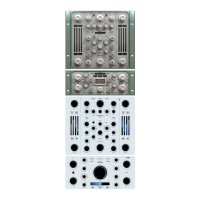

 To Next Page
