Changing the I2C address
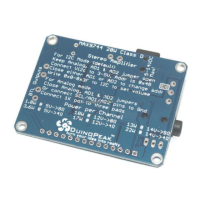
if you need to change the address from the 0x4B default to something else, you can close the AD1 or AD2 jumpers but
not both to change the address to 0x4A (AD1 closed or tied to ground) or 0x49 (AD2 closed or tied to ground)
Connecting to a Raspberry Pi or BeagleBone Black
If you'd like to control the MAX9744 from a Raspberry Pi or BeagleBone Black then check out this Adafruit MAX9744
Python library (https://adafru.it/idA). The readme for the library has instructions on connecting to the board, installing
the library, and demonstrating the usage with an example. Using this library you can set the volume and increase or
decrease it using Python and an I2C connection from your board.


 To Next Page