ADE- 2030-B Page 6 of 11
5.2
5.25.2
5.2
Locking and Unlocking the Controller
Locking and Unlocking the ControllerLocking and Unlocking the Controller
Locking and Unlocking the Controller
a)
a)a)
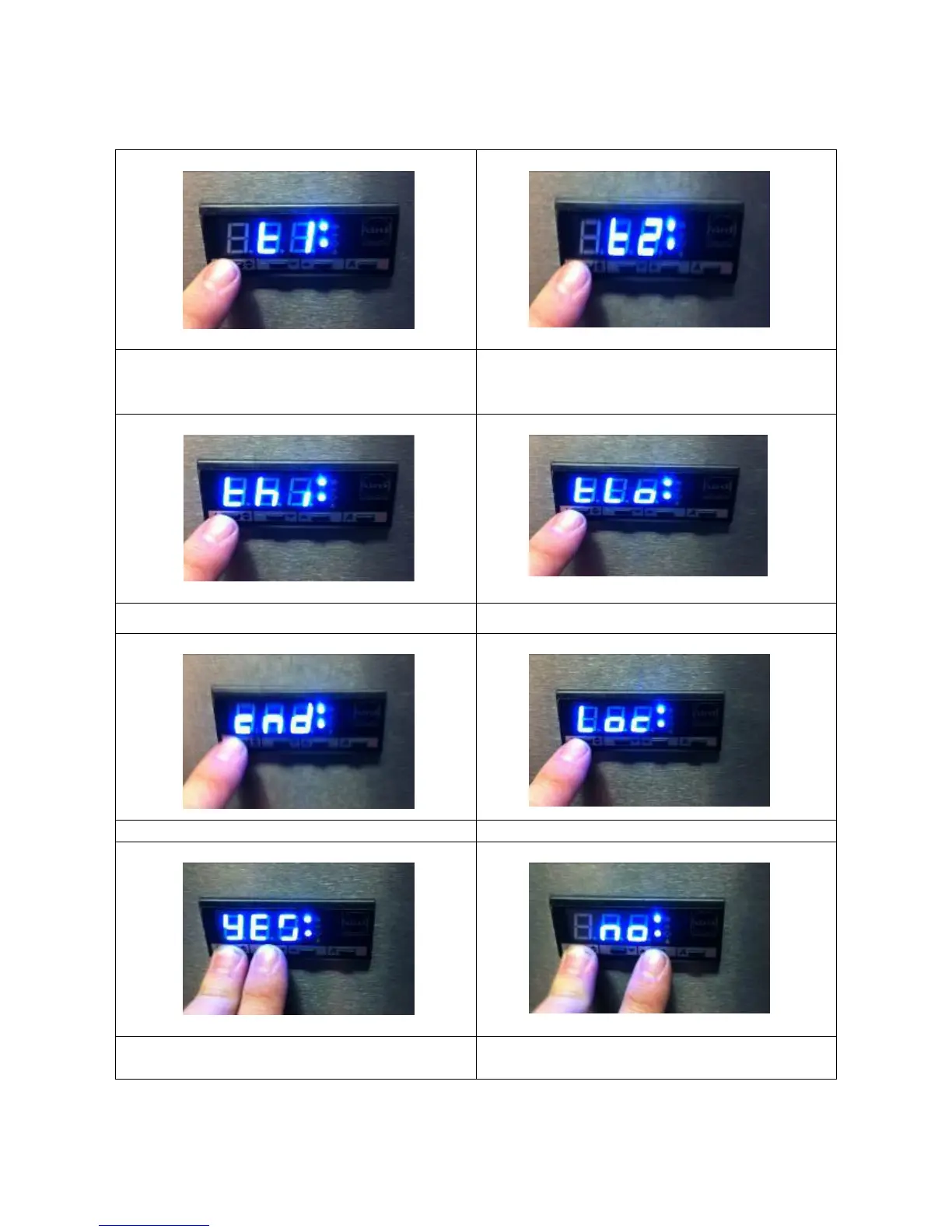
a) Press and immediately release “i”
“i”“i”
“i”
button
to display ‘T1’
b)
b)b)
b) Press button “i”
“i”“i”
“i” again to display ‘T2’
c)
c)c)
c) Press button “i”
“i”“i”
“i”again to display ‘TH1’
d)
d)d)
d) Press button “i”
“i”“i”
“i”again to display ‘TLO’
e)
e)e)
e) Press button “i”
“i”“i”
“i”again to display ‘CND’
f)
f)f)
f) Press button “i”
“i”“i”
“i”again to display ‘LOC’
g)
g)g)
g) Hold the “i”
“i” “i”
“i” button to display either yes
or no
h)
h) h)
h) Press either of the or buttons to
change yes/no setting


 To Next Page