3
Discharge any static electricity build-up before handling the SCSI
card by touching a grounded metal object (like the exposed metal
parts on the back of your computer).
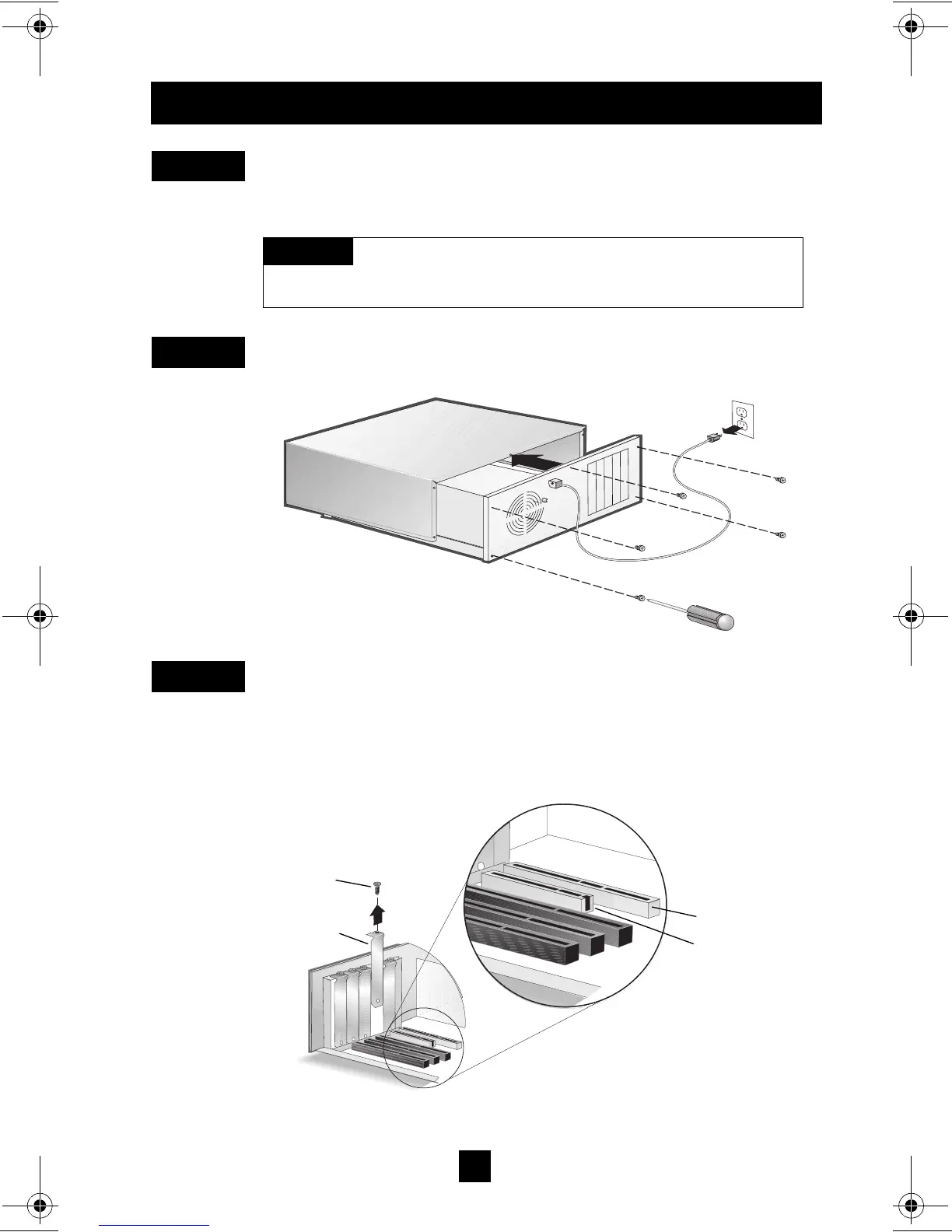
After you turn off your computer and unplug the power cord,
remove the cover from the computer.
Locate an unused 64-bit PCI expansion slot and remove the
expansion slot cover. If the computer does not have a 64-bit slot,
you can install the card in a 32-bit PCI slot. (The expansion slot
must be compliant with PCI Rev. 2.1 or higher and must support
Bus Mastering.) Save the slot cover screw for use in Step 4.
I
NSTALLING
T
HE
A
DAPTEC
SCSI C
ARD
29160
S
TEP
1
Turn OFF power to the computer and disconnect
the power cord.
W
ARNING
S
TEP
2
S
TEP
3
64-bit PCI slot
32-bit PCI slot
Slot cover
Expansion
slot cover
screw
29160_OEM_InsGd.fm Page 3 Tuesday, October 19, 1999 7:47 AM



 To Next Page