EasyManua.ls Logo

Adastra RM series - User Manual

Adastra RM series
8 pages
Print Icon
To Next Page IconTo Next Page
Loading...
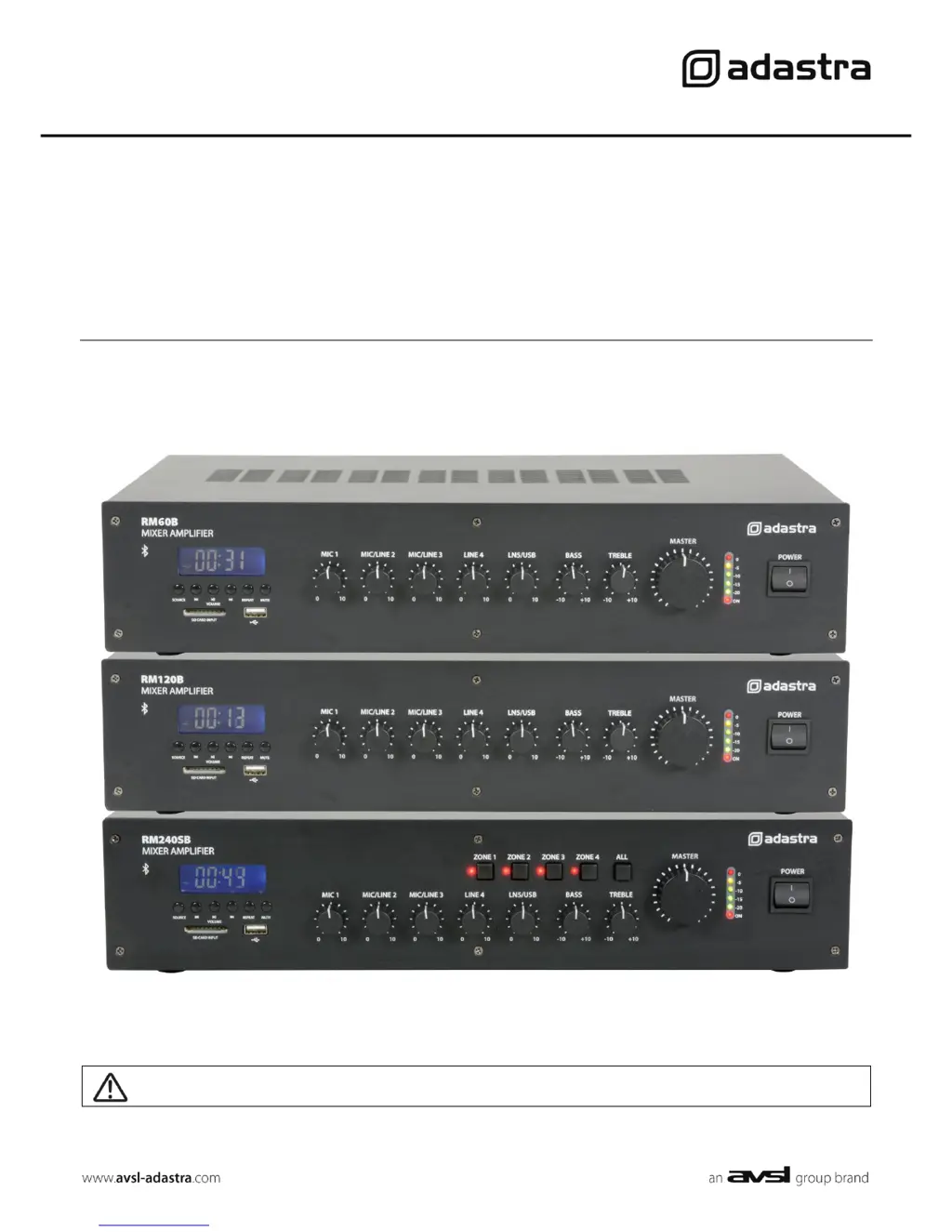
RM-SERIES
Rackmount 100V mixer-amplifiers with Bluetooth™
Item ref: 953.113UK, 953.114UK, 953.115UK
User Manual
Caution: Please read this manual carefully before operating
Damage caused by misuse is not covered by the warranty

Questions and Answers

Summary

Introduction and Safety Information

Safety Symbols, Notices, and Warnings

Explains safety symbols, lists precautions, and provides critical warnings for safe operation.

Placement and Cleaning

Guidelines for unit placement to ensure airflow and instructions for safe cleaning procedures.

Front, Rear Panels and DIP Switches

Front Panel Controls

Identifies and lists the functions of the 12 controls and displays on the front panel.

Rear Panel Connections

Details the various input and output connections located on the rear of the unit.

DIP Switch Settings

Explains the purpose and settings of DIP switches for MIC 1, MIC/LINE 2, and MIC/LINE 3 inputs.

Connection and Setup

Power and Audio Input Connections

Instructions for connecting power and various audio input sources to the amplifier.

Speaker Output Setup (100 V)

Guides on connecting speakers for 100V line systems, including wiring and parallel connections.

Speaker Output Configuration

100 V Line System Details

Explains determining speaker quantity based on power rating and tapping transformers.

RM240 SB Zone Switching

Describes the zone selection feature for the RM240SB model.

Low Impedance System Setup

Instructions for connecting an 8Ω speaker and considerations for load impedance.

Operation and Media Player

Output Monitoring and Microphone Operation

Guidance on using VU meters, avoiding clipping, and operating microphone inputs with phantom power/VOX.

Tone Controls and Media Player Overview

Explains EQ controls and introduces the built-in media player (Bluetooth, USB/SD, FM).

Media Player Operations

Bluetooth Connectivity

Step-by-step guide for pairing a smartphone or tablet via Bluetooth for audio playback.

FM Tuner and USB;SD Player Usage

Instructions for using the FM tuner and playing audio from USB drives or SD cards.

Specifications and Troubleshooting

RM Series Model Specifications

A table detailing technical specifications for RM60B, RM120B, and RM240SB models.

Common Issues and Solutions

Provides solutions for common problems like no power, no output, Bluetooth connection, and audio distortion.

Adastra RM series Specifications

General IconGeneral
BrandAdastra
ModelRM series
CategoryMusic Mixer
LanguageEnglish

Related product manuals