page 21ADDAC SYSTEM
Image 2
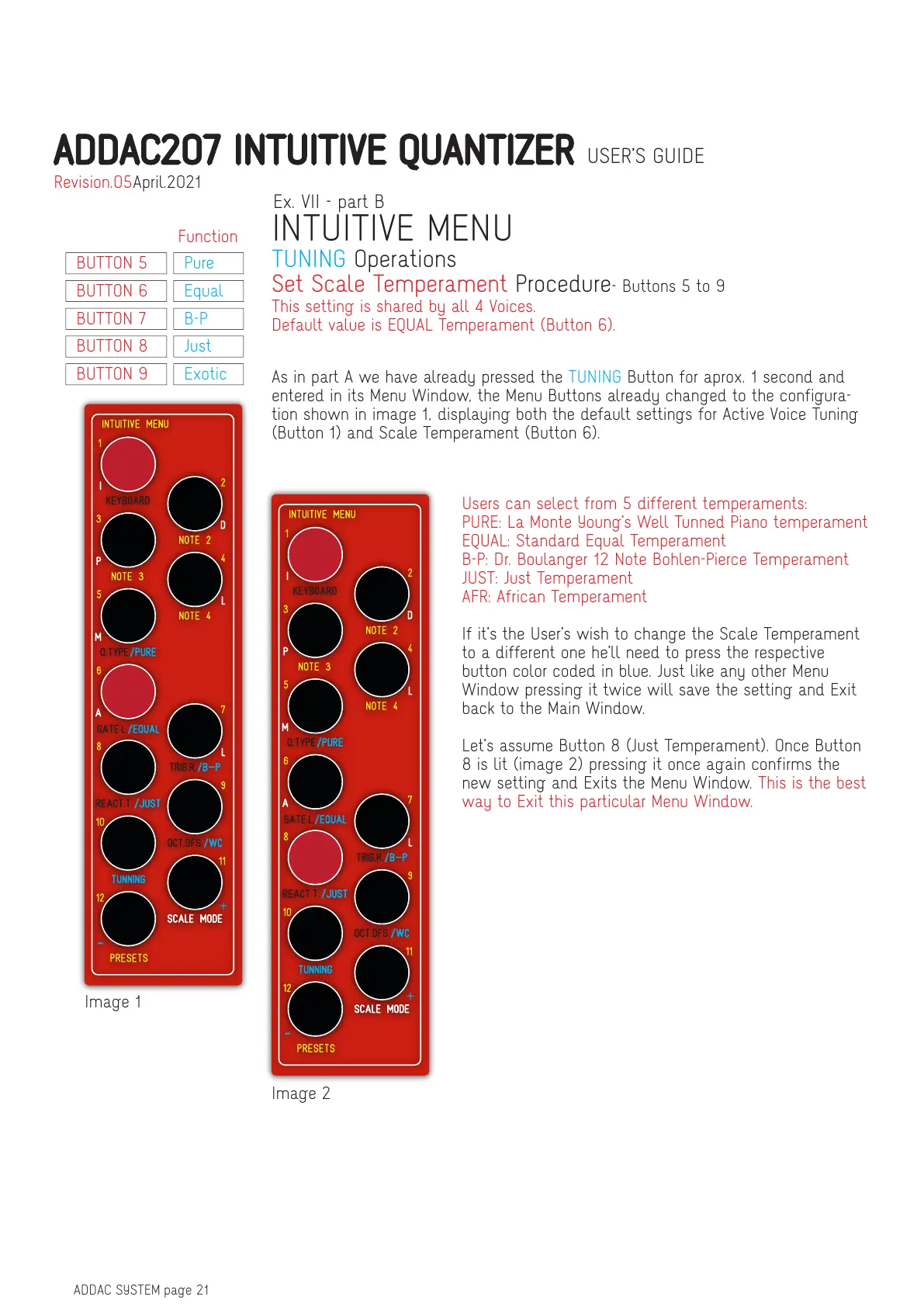
Image 1
As in part A we have already pressed the TUNING Button for aprox. 1 second and
entered in its Menu Window, the Menu Buttons already changed to the configura-
tion shown in image 1, displaying both the default settings for Active Voice Tuning
(Button 1) and Scale Temperament (Button 6).
This setting is shared by all 4 Voices.
Default value is EQUAL Temperament (Button 6).
Users can select from 5 different temperaments:
PURE: La Monte Young’s Well Tunned Piano temperament
EQUAL: Standard Equal Temperament
B-P: Dr. Boulanger 12 Note Bohlen-Pierce Temperament
JUST: Just Temperament
AFR: African Temperament
If it’s the User’s wish to change the Scale Temperament
to a different one he’ll need to press the respective
button color coded in blue. Just like any other Menu
Window pressing it twice will save the setting and Exit
back to the Main Window.
Let’s assume Button 8 (Just Temperament). Once Button
8 is lit (image 2) pressing it once again confirms the
new setting and Exits the Menu Window. This is the best
way to Exit this particular Menu Window.
Set Scale Temperament Procedure- Buttons 5 to 9
Ex. VII - part B
INTUITIVE MENU
TUNING Operations
Function
BUTTON 5 Pure
BUTTON 6 Equal
BUTTON 7 B-P
BUTTON 8 Just
BUTTON 9 Exotic
ADDAC207 INTUITIVE QUANTIZER USER’S GUIDE
April.2021Revision.05


 To Next Page