page 23ADDAC SYSTEM
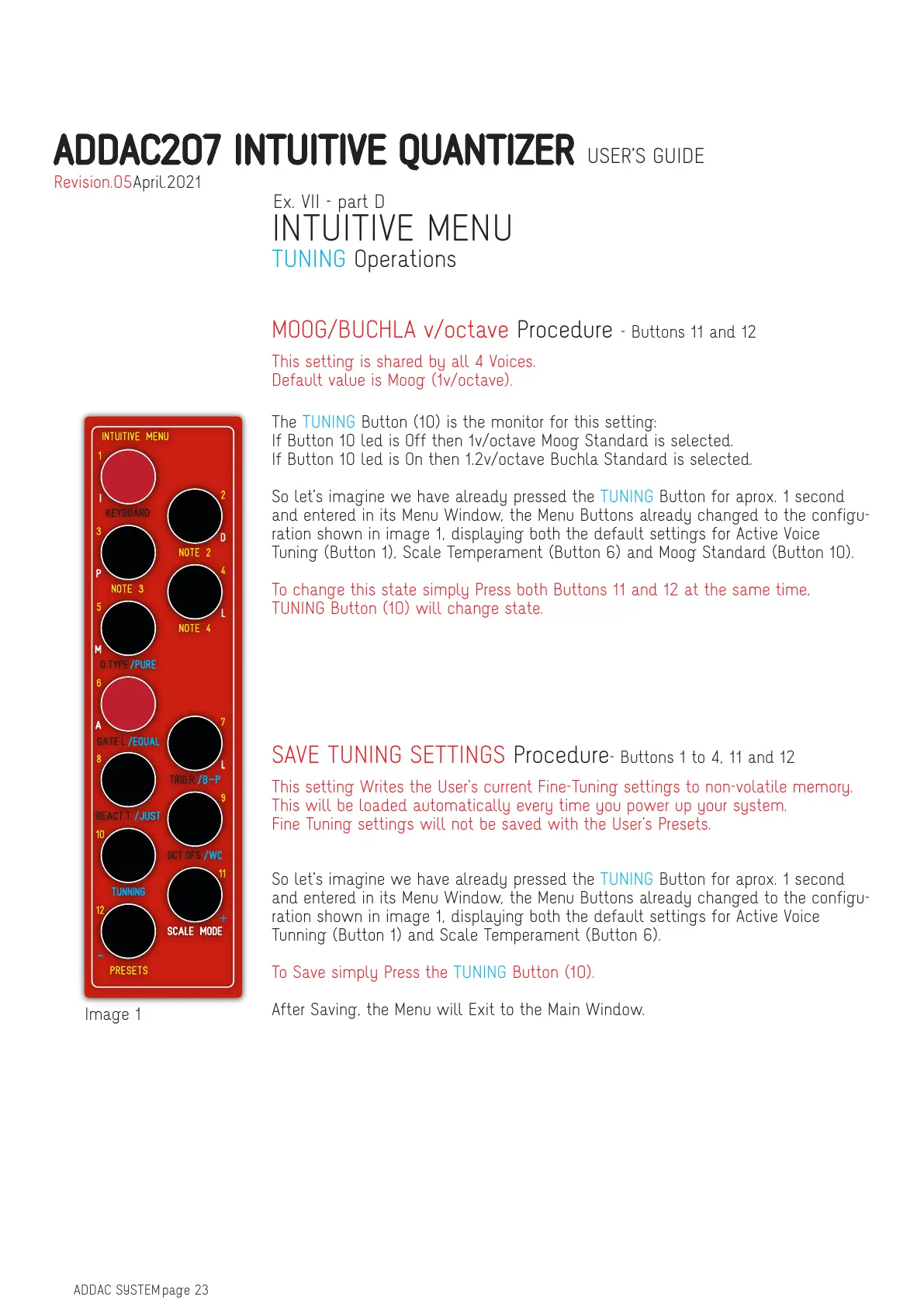
Image 1
So let’s imagine we have already pressed the TUNING Button for aprox. 1 second
and entered in its Menu Window, the Menu Buttons already changed to the configu-
ration shown in image 1, displaying both the default settings for Active Voice
Tunning (Button 1) and Scale Temperament (Button 6).
To Save simply Press the TUNING Button (10).
After Saving, the Menu will Exit to the Main Window.
This setting Writes the User’s current Fine-Tuning settings to non-volatile memory.
This will be loaded automatically every time you power up your system.
Fine Tuning settings will not be saved with the User’s Presets.
SAVE TUNING SETTINGS Procedure- Buttons 1 to 4, 11 and 12
The TUNING Button (10) is the monitor for this setting:
If Button 10 led is Off then 1v/octave Moog Standard is selected.
If Button 10 led is On then 1.2v/octave Buchla Standard is selected.
So let’s imagine we have already pressed the TUNING Button for aprox. 1 second
and entered in its Menu Window, the Menu Buttons already changed to the configu-
ration shown in image 1, displaying both the default settings for Active Voice
Tuning (Button 1), Scale Temperament (Button 6) and Moog Standard (Button 10).
To change this state simply Press both Buttons 11 and 12 at the same time,
TUNING Button (10) will change state.
This setting is shared by all 4 Voices.
Default value is Moog (1v/octave).
MOOG/BUCHLA v/octave Procedure - Buttons 11 and 12
Ex. VII - part D
INTUITIVE MENU
TUNING Operations
ADDAC207 INTUITIVE QUANTIZER USER’S GUIDE
April.2021Revision.05


 To Next Page