page 25ADDAC SYSTEM
ASSIGNING ASSIGN
INPUT TO CONTROL
MENU FUNCTIONS
ASSIGN 1v/Octave CV Input
This CV input can be assigned to control 8 of the Menu
Functions.
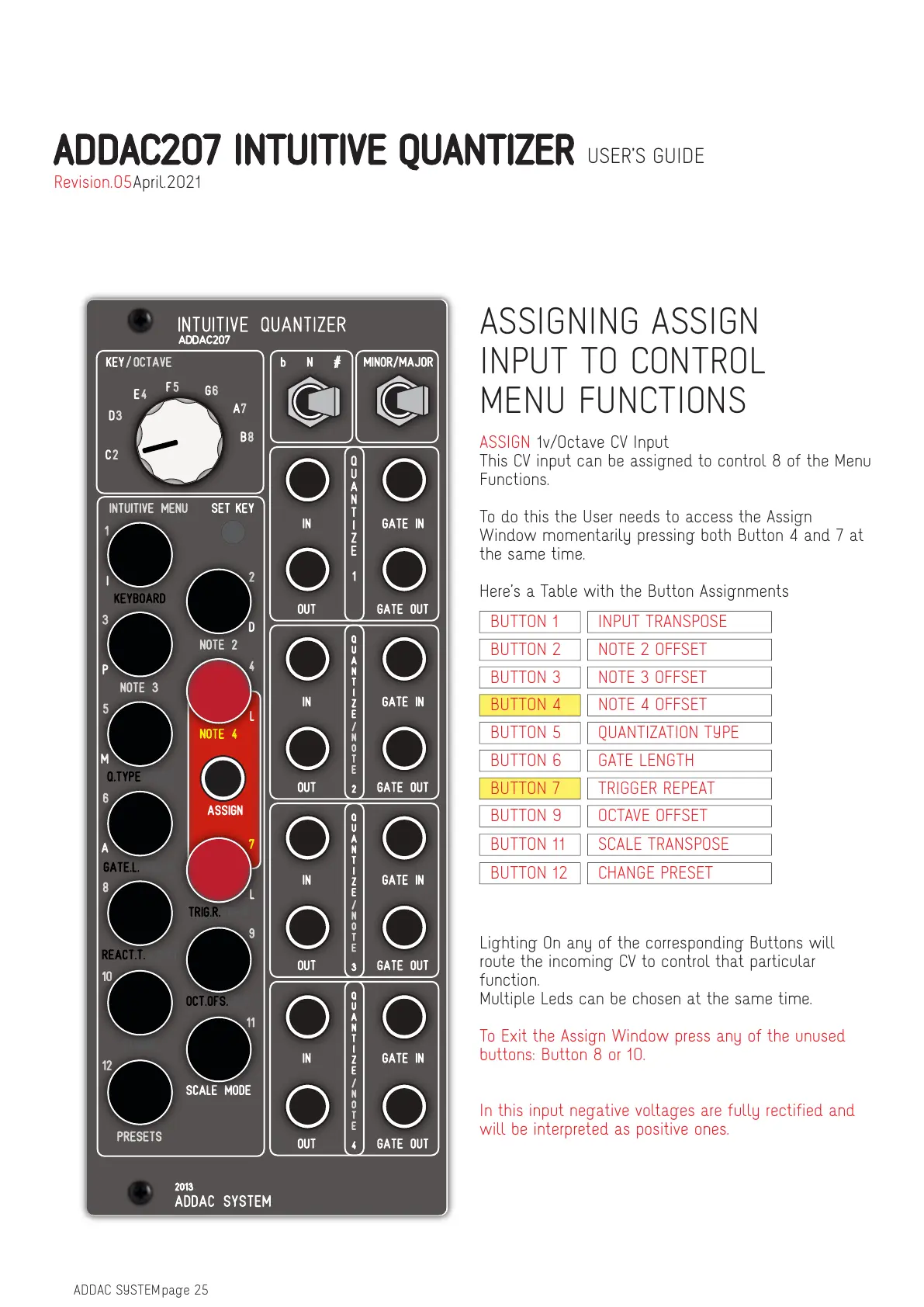
To do this the User needs to access the Assign
Window momentarily pressing both Button 4 and 7 at
the same time.
Here’s a Table with the Button Assignments
Lighting On any of the corresponding Buttons will
route the incoming CV to control that particular
function.
Multiple Leds can be chosen at the same time.
To Exit the Assign Window press any of the unused
buttons: Button 8 or 10.
In this input negative voltages are fully rectified and
will be interpreted as positive ones.
BUTTON 1 INPUT TRANSPOSE
BUTTON 2 NOTE 2 OFFSET
BUTTON 3 NOTE 3 OFFSET
BUTTON 4 NOTE 4 OFFSET
BUTTON 5 QUANTIZATION TYPE
BUTTON 6 GATE LENGTH
BUTTON 7 TRIGGER REPEAT
BUTTON 9 OCTAVE OFFSET
BUTTON 11 SCALE TRANSPOSE
BUTTON 12 CHANGE PRESET
ADDAC207 INTUITIVE QUANTIZER USER’S GUIDE
April.2021Revision.05


 To Next Page