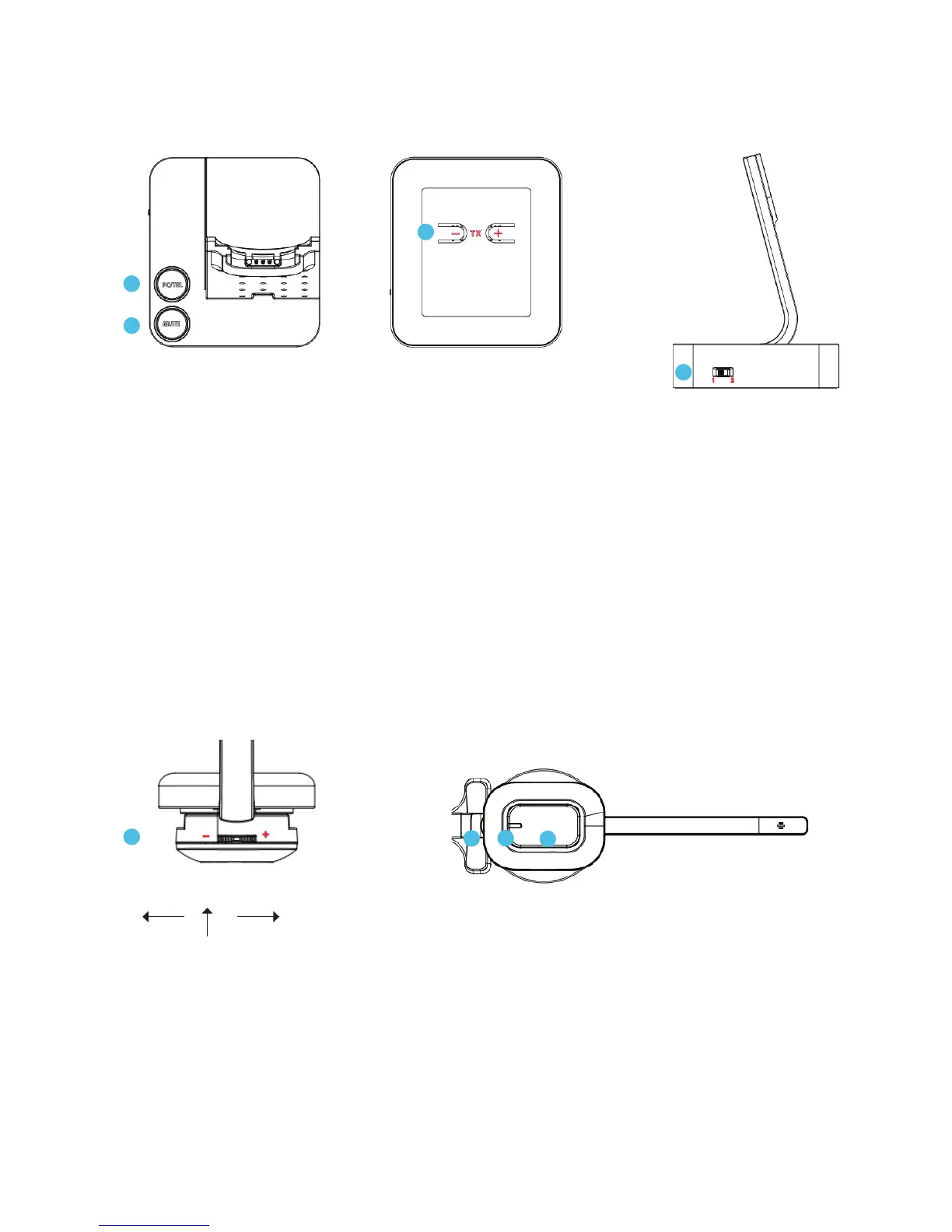
Base - top
10 PC/TEL selection: Switch between PC and telephone
11 Microphone mute button: Press to mute microphone. Press again to release the mute
Base - underneath
12 Microphone volume: Adjust volume level up or down
Base - side
13 Compatibility switch: Select ‘1’ or ‘2’ for a dial tone is heard
3.2 Headset
14 Speaker volume up/down: Rotate wheel up or down for the best speaker volume
15 Microphone mute (press): Press down on wheel to mute microphone. Press again to
release the mute
16 In-use/on-off indicator
17 Call hook on/off: Press to pick up/end call
Base - sideBase - underneath
10
11
12
13
Down Up
Mute
14
15
16
17
Base - top



 To Next Page