www.adder.com
CCS-XB
CCS-XB
Quick Start
Safety information
• Foruseindry,oilfreeindoorenvironmentsonly.
• Notsuitableforuseinhazardousorexplosive
environmentsornexttohighlyammable
materials.
• Ensurethatalltwistedpairinterconnectcables
areinstalledincompliancewithallapplicable
wiringregulations.
• DonotconnecttheCATxcable(s)(RJ45
styleconnector(s))toanyotherequipment,
particularlynetworkortelecommunications
equipment.
• Wherepossible,avoidlayingthetwistedpair
linkcable(s)alongsidepowercables.
• Donotattempttoservicethemodulesyourself.
Warranty
AdderTechnologyLtdwarrantsthatthisproductshallbefreefromdefectsinworkmanshipandmaterials
foraperiodoftwoyearsfromthedateoforiginalpurchase.Iftheproductshouldfailtooperatecorrectly
innormaluseduringthewarrantyperiod,Adderwillreplaceorrepairitfreeofcharge.Noliabilitycan
beacceptedfordamageduetomisuseorcircumstancesoutsideAdder’scontrol.AlsoAdderwillnotbe
responsibleforanyloss,damageorinjuryarisingdirectlyorindirectlyfromtheuseofthisproduct.Adder’s
totalliabilityunderthetermsofthiswarrantyshallinallcircumstancesbelimitedtothereplacementvalue
ofthisproduct.Ifanydifcultyisexperiencedintheinstallationoruseofthisproductthatyouareunableto
resolve,pleasecontactyoursupplier.
Self adhesive
rubber feet
CCS-XB controller
Four LED monitor indicators
AdderP/N:CCS-LED
(Alsoavailableseparatelywhen
morethanfourarerequired)
CATx link cable
Adder P/N: VSC46
What’s in the box
Connection overview inside
Fulluserguideavailableatwww.adder.com
©2014AdderTechnologyLimited•Alltrademarksareacknowledged.
PartNo.MAN-CCS-XB-QS•Release1.1f(tober2.0aonrelease)
Web: www.adder.com
Contact: www.adder.com/contact-details
Support: forum.adder.com
TheCCS-XBmoduleworkstogetherwitheithertheAdderCCS4-USBorCCS-PRO4switchestoprovideLED
indicatorsforeachofyourvideodisplayscreens.Astheswitchactivatesascreen,theCCS-XBmoduleactivates
thecorrespondingindicator(whichcanbeattachedtothescreen)toprovideextraclarityfortheoperator.
Checking the firmware version (CCS4-USB switches only)
WhenusingtheCCS-XBmodulewithaCCS4-USBswitch,itisimportantthattheswitchhasrmwareversion
2.0(orgreater)installed.IfindoubtyoucancheckthermwareversionofyourCCS4-USBswitchasfollows:
1 WithyourCCS4-USBswitchpoweredonandwithaUSBkeyboardattached,pressandholdthe
COMPUTERbuttonforroughlysixsecondsuntilthedisplayshowsC.
2 Ontheconnectedkeyboard,pressFfollowedby1 andthenpressEnter.Thedigitsofthermware
versionwillbeshowninsequencewithashortpausebetweeneach.Forinstance,1 > 0 > 2meansthat
thermwareversionis1.02andrequiresanupgrade.
3 PressEandthenpressEntertoreturntheCCS4-USBtonormaloperation.
IfyourCCS4-USBswitchdoesrequirearmwareupgrade,pleaserefertothePerforming upgrades
sectionoftheCCS4-USBuserguide.

 Need help?
 General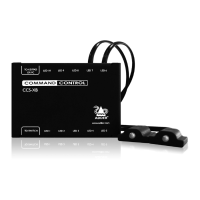

 To Next Page
