11
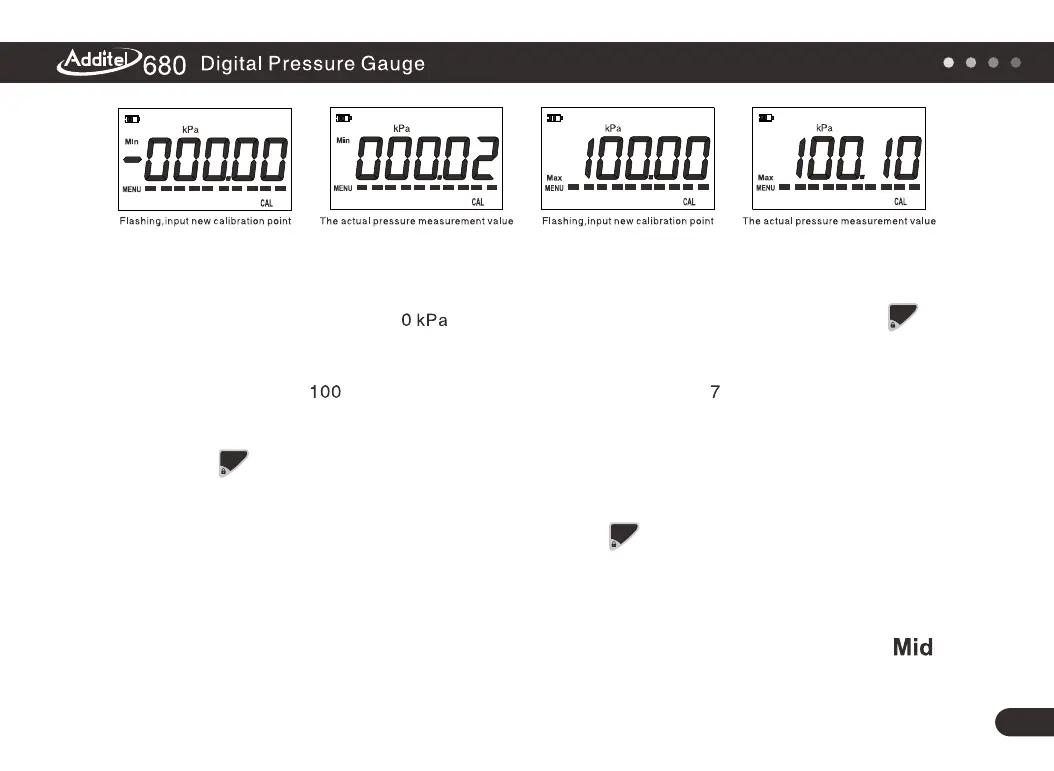
Figure5
Figure6
Figure7
Figure8
(3) To calibrate the lower range point: Use the pressure source to control the lower range
pressure, for this example is the lower point. After the reading is stable, push
to confirm, then the screen will prompt the user for the next calibration point, which in
this example is kPa (the upper range), as shown in Figure . User can also change
this calibration point by inputting the desired value. If there is no need to adjust,
push to continue.
(4) To calibrate upper range point: Use the pressure source to control the upper range
pressure, 100 kPa. After the reading is stable push to confirm, then the screen
should be shown as in Figure 9, which means the calibration procedure is completed.
Remark: To calibrate a compound pressure gauge, use almost the same procedures
as the above. There is one more point need. When checking zero, the icon
will be displayed on the screen.
zero
zero
zero



 To Next Page