Configuring your router
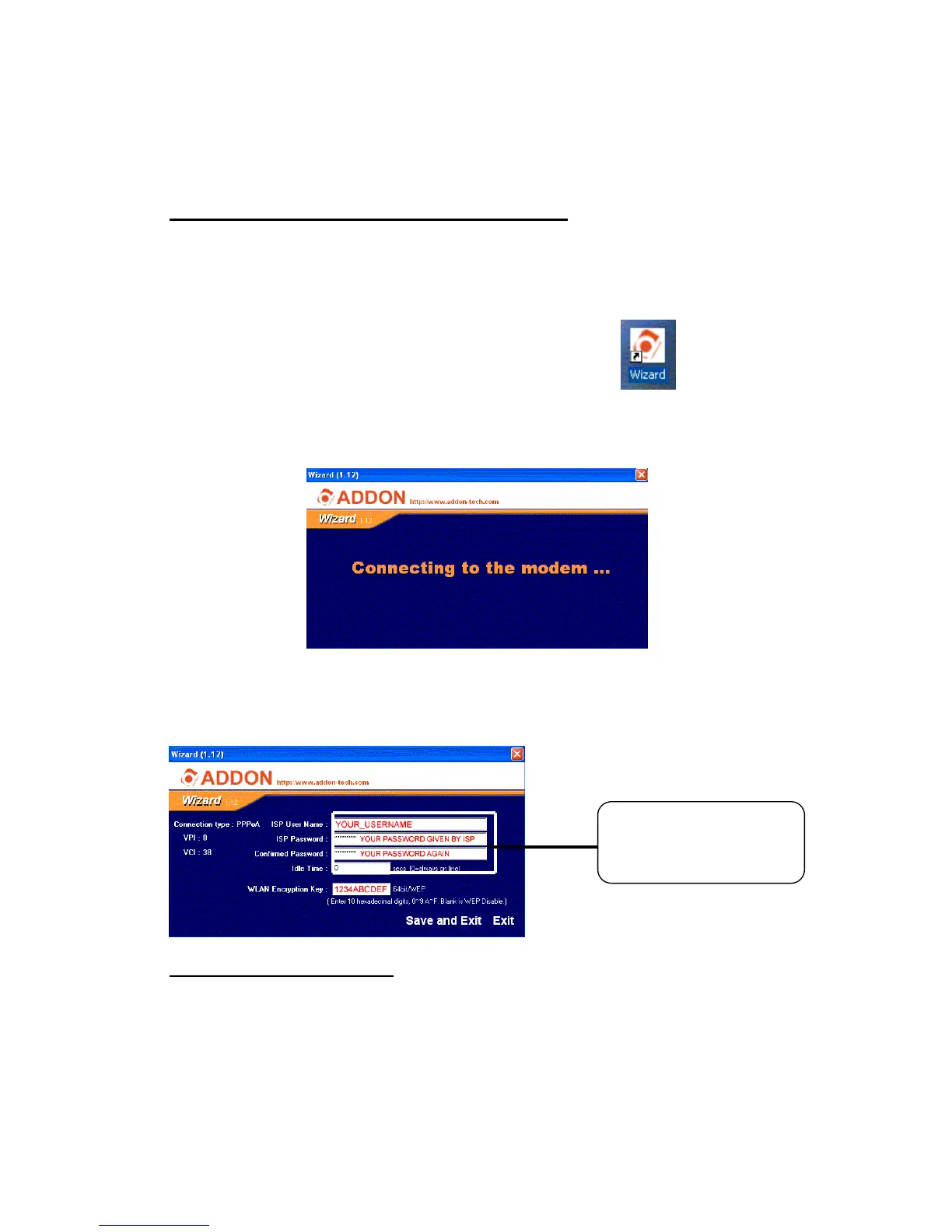
A: Through ADDON Quick Installation Wizard
1. you can find the ADDON Quick Installation Wizard on the installation CD
2. install the ADDON Quick Installation Wizard and double click the ADDON
icon on you desktop
3. Enter the USERNAME and PASSWORD given by your ISP (you can also
enter the encryption key in 10 digits format).
4. Press ‘Save and Exit’ to save the change and exit the program. You should
be able to surf the internet after the ADSL router restarted.
B: Through Web Browser
1 Launch a Web browser. If you are using a proxy server, disable it
temporarily so that you can open the configuration page. Type 192.168.1.1
in the location or address line of your Web browser to access the
Configuration Utility.



 To Next Page