4
Important:
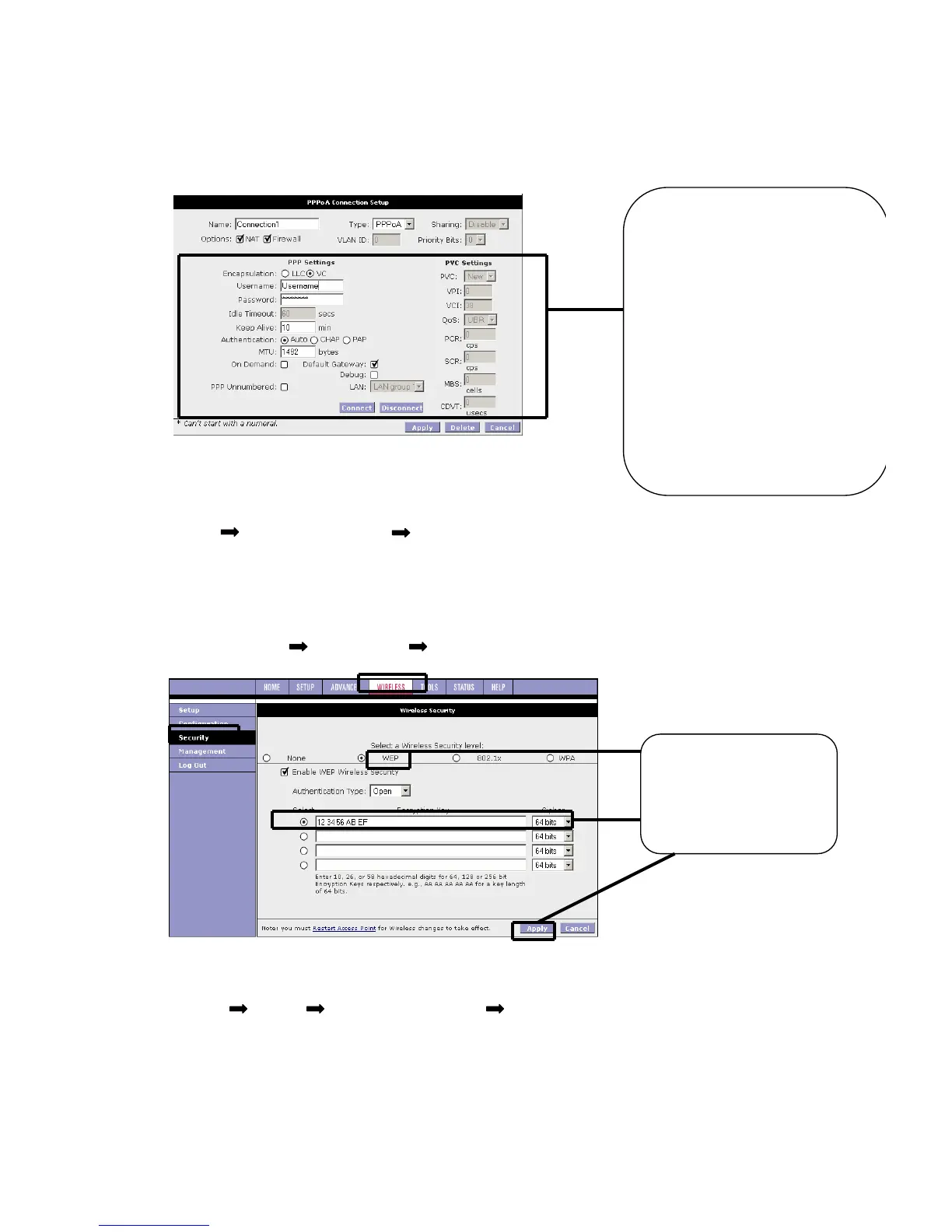
After click ‘Apply’ you must go the system command page to save all settings.
(Tools System command Save all)
5 Setup wireless Encryption
To setup wireless encryption you need to go to wireless security Page.
(Home Wireless Security)
Important:
You must restart access point for wireless changes to take effect.
(Home Tools System commands Restart access point)
the internet, you must enter the
Username and Password given
by your ISP (if no Password
given, please leave it as default).
The connection protocol has
already been set to UK standard
(Type = PPPoA, VPI =0,
VCI=38, Encapsulation=VC). If
not sure, contact you ISP for
more information.



 To Previous Page