39
Roasting Thermometer BBQ 1600
English
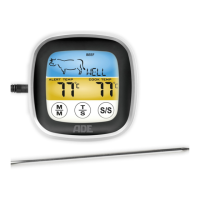
Select “PGM” if the desired
meat type is not there or if
you want to set an individual
temperature.
3. Select the desired degree of
cooking by repeatedly pressing the
T
S
button. This is independent of
the desired meat type.
If, for example, you have selected
PORK, the following degrees of
cooking can be selected: WELL >
M WELL > MEDIUM > M RARE.
If you select CHICKEN, the only
degree of cooking available is WELL.
The fixed temperature for each
degree of cooking is shown under
“ALERT TEMP” on the display.
Set individual temperature
ranges
1. Choose the PGM indicator by
repeatedly pressing the
M
M
button.
2. Press the
S/S
button until the
temperature under “ALERT TEMP”
blinks.
Druckbuch Bratenthermometer 1600.indb 39 29.08.2016 14:36:38


 To Next Page