EasyManua.ls Logo

ADEMCO 5110XM - User Manual

ADEMCO 5110XM
30 pages
Print Icon
To Next Page IconTo Next Page
Loading...
F
F
i
i
r
r
e
e
A
A
l
l
a
a
r
r
m
m
C
C
o
o
n
n
t
t
r
r
o
o
l
l
/
/
C
C
o
o
m
m
m
m
u
u
n
n
i
i
c
c
a
a
t
t
o
o
r
r
User's Manual
5110XM
N8028 4/96

Other manuals for ADEMCO 5110XM

Questions and Answers

  • H
    haley59Jul 29, 2025
    What to do if my ADEMCO 5110XM Controller doesn't respond to keypad keystrokes?
    • L
      Laura HermanJul 29, 2025
      If your ADEMCO 5110XM Controller doesn't respond to keystrokes, it could be due to several reasons: 1. The system might be in communication with a downloader at the central station, indicated by 'CC or MODEM COMM' being displayed. If so, wait until the download session is finished. 2. 'd1 or System Busy' might be displayed, meaning the system is in its one-minute initialization process after being powered on. You can bypass this by pressing '#' + '0'. 3. The keypad address setting might be incorrect. Ensure the keypads are set for address 31 (non-addressable mode).
  • A
    alexahernandezAug 2, 2025
    Why is my ADEMCO Controller not receiving digital control messages?
    • D
      Diana GriffithAug 2, 2025
      If you are not receiving digital control messages with your ADEMCO Controller, consider the following: * If the Ademco 5110XM is in FIRE WALK TEST mode, remove it from TEST mode. * Check to ensure all telephone connections are secure. * Test with a different Ademco 5110XM to rule out a malfunctioning digital control. * Program any necessary prefix or access code into the Ademco 5110XM if the telephone number requires it. * Note: The Ademco 5110XM system cannot work if the telephone call to the central monitoring station requires operator assistance.
  • P
    Patrick ParkerAug 6, 2025
    What does it mean when my ADEMCO Controller displays 'CHECK' and a zone number 1-5?
    • H
      Haley MooreAug 6, 2025
      If your ADEMCO Controller is showing a 'CHECK' message and a zone number (1-5), it means the control has detected an open circuit on one or more zones. You should check the sensor or the loop wiring in the affected zone. The system will not display 'System Normal' until this is corrected, or the affected zone is bypassed.
  • S
    samuelwilliamsAug 11, 2025
    Why is the AC POWER light off on my ADEMCO Controller?
    • W
      William HendrixAug 11, 2025
      If the AC POWER light is off on your ADEMCO Controller, it indicates an interrupted AC power supply. You should check the transformer connection and the power line circuit breaker to resolve this issue.
  • L
    Lee JohnsonAug 15, 2025
    How to stop nuisance alarms on my ADEMCO Controller?
    • S
      Susan OlsonAug 15, 2025
      Nuisance or phantom alarms on your ADEMCO Controller can occur if sensors are not properly installed, wired, or monitored. Check the sensor installation to ensure it follows established procedures.
  • L
    linda29Aug 19, 2025
    What to do if my ADEMCO Controller has detector alarms for no apparent reason?
    • H
      Hayden FloresAug 20, 2025
      Detector alarms with no apparent reason in your ADEMCO Controller can be triggered by: 1. Dust or dirt in the sensing chamber. Clean the unit's sensing chamber with a vacuum cleaner, following the unit's instructions. 2. An improper location. Consult the unit's instructions for locations to avoid and relocate the detector if necessary. 3. A malfunctioning unit. In this case, replace the detector.
  • R
    rmillerAug 25, 2025
    What does it mean when I see a low battery message on my ADEMCO Controller?
    • S
      Samantha MooreAug 25, 2025
      The 'Low Battery' message on the keypad or a lit battery trouble LED on your ADEMCO Controller indicates that the system battery is low or missing.

Summary

SYSTEM OVERVIEW

System Overview: General Information

Introduces the Ademco Alarm System, its features, and purpose as a commercial fire alarm control/communicator.

System Overview: Protection Zones

Explains the concept of five protection zones and how sensing devices are assigned to them for status indication.

System Overview: Fire & Emergency Protection

Describes the always-on fire and emergency protection features, indicating alarms when detected.

System Overview: Alarm Indications

Explains how alarms are indicated via control's buzzer, keypads, and external sounders, and how to silence them.

ABOUT THE BUILT-IN INDICATORS

ABOUT THE OPTIONAL KEYPADS

FUNCTIONS OF THE REMOTE KEYPAD

Remote Keypad: Key Functions

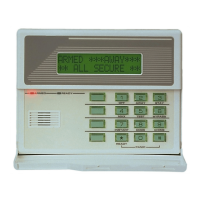
Lists and describes the functions of various keys on the remote keypad, such as DISPLAY, OFF, BYPASS, and CODE.

FIXED-WORD KEYPAD DISPLAYS

REMOTE KEYPAD USER CODES

User Code: Assignment and Management

Details how to assign, change, or delete user codes (User Numbers 2-6) for system access and control.

REMOTE KEYPAD EMERGENCY KEYS

Emergency Keys: Manual Activation Procedure

Explains how to manually activate fire, silent, audible, or personal emergency alarms using specific key sequences.

NORMAL STANDBY OPERATION

FIRE ALARM PROTECTION

Fire Alarms: General Monitoring

Explains the system's monitoring of fire alarm conditions via smoke, heat, and sprinkler sensors 24/7.

Fire Alarms: Immediate Actions and Indications

Provides critical instructions to evacuate and notify fire department, plus system sound and display indications.

Fire Alarms: Silencing and Resetting Procedure

Details the procedure for silencing control/keypad buzzers and resetting smoke detectors after a fire event.

EMERGENCY AND 24 HOUR NON-FIRE ALARMS

BYPASSING PROTECTION ZONES

TROUBLE CONDITIONS

Trouble Conditions: System Problems

Covers various system problems like wire breaks, AC power loss, and communication failures.

Trouble Conditions: Specific Indicators

Details indicators for AC LOSS, BATTERY TROUBLE, COMM FAILURE, and CHECK conditions on keypads.

ACTIVATING A FIRE DRILL TEST

QUICK GUIDE TO SYSTEM FUNCTIONS

SUMMARY OF AUDIBLE;VISUAL NOTIFICATION

ADEMCO 5110XM Specifications

General IconGeneral
ZonesUp to 8 zones
Dimensions10.5" H x 8.5" W x 3.0" D
TypeWireless Alarm Control Panel
Power SupplyAC
Battery Backup12V 4Ah rechargeable battery
CommunicationPhone line

Related product manuals