– 3 –
Operating the Buttons
To Activate a Function
To activate a programmed function, press and hold the associated button down until the yellow LED flashes; then release it.
System Status Indications Table
LED LED Condition Speech System Status
System Armed Away Armed Away or Maximum On Steady
System Armed Stay Armed Stay or Instant
Fire Fire Zone (Faulted Zone) Fire Alarm in progress
Alarm Alarm Zone (Faulted Zone) Armed, Burglary Alarm in progress
Red
Flashing
Alarm Alarm Zone (Faulted Zone) Alarm Memory
On Steady System Disarmed Ready To Arm Disarmed, Ready to Arm Green
Flashing System Disarmed Not Ready To Arm System Not Ready, Zones Faulted
Yellow (Right) Flashing –– Indicates RF transmission (Non encrypted)
Yellow (Left) Flashing –– Indicates RF transmission (encrypted)
In Enter House ID Mode
In Enable or Disable Encryption Mode
Red & Green Alternately
Flashing
––
In Set Volume Level Mode
System AC Loss AC Loss Condition N/A N/A
Low Battery Low Battery Condition
To Request System Status
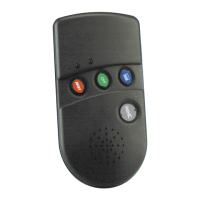
Because the 5804BDV is a two-way device, users can check
the system status before arming or disarming their system. To
check system status, press and release any button
momentarily. The yellow LED will flash after you release the
button. After a second or two, the 5804BDV will display the
system status information using a combination of LED and
sounder activity (see the System Status Indications Table). If
5804BDV does not receive system status information from the
panel for approximately 5 seconds, it will shut itself down. It will
also shut itself down if there is no button activity within 5
seconds of receiving a status update.
WARNING!
This device may not receive the system status
properly if it operates within a few feet of the
5881 RF receiver.
Multiple Button Operations
WARNING!
The 5804BDV should not be used for 24-hour
silent alarm, as the unit itself is not silent.
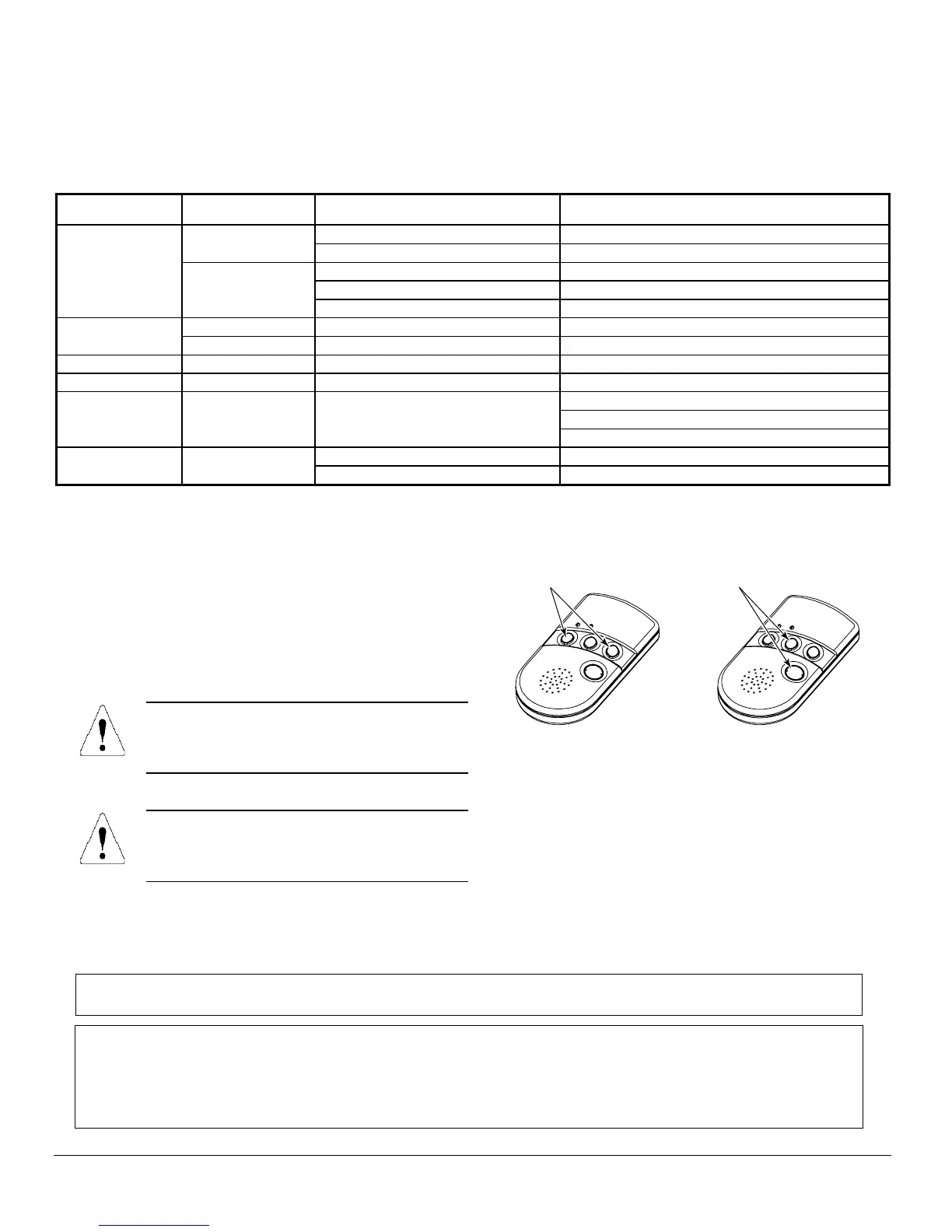
The 5804BDV can generate the same responses as keypad
panic key pairs of [
✶
] + [#] and [
✶
] + [
1
] by depressing “
A
” + “
C
”
and “
B
” + “
D
” button pairs, respectively.
You must depress the button pair for at least 2 seconds for the
5804BDV to recognize the button pair command. These button
pairs allow the user to activate panic, fire, and medical alarms
depending on control panel programming.
5804BDV-005-V0
A + C Button Pair
B + D Button Pair
Low-Battery Indication
When the unit goes into a low battery condition, the yellow
LED will not flash when a button is pressed. Change both
batteries immediately. Refer to instructions in “To
Install/Replace Batteries” paragraph on first page.
Specifications
Physical:
Belt Clip: 4.1H x 2.2”W x 0.8”D
Transmitter: 3.9”H x 2.0”W x 0.69”D
Battery:
Maxell CR2430 or Duracell DL2430
FOR LIMITATIONS OF THE ENTIRE ALARM SYSTEM, REFER TO THE INSTALLATION INSTRUCTIONS FOR THE
CONTROL WITH WHICH THIS DEVICE IS USED.
FCC STATEMENT
This device complies with Part 15 of the FCC rules. Operation is subject to the following two conditions: (1)
This device may not cause harmful interference, and (2) This device must accept any interference received,
including interference that may cause undesired operation.
FCC ID.CFS8DL5804BDV


 To Next Page
 Loading...