Appendix B — Troubleshooting 31
• USB needs a USB 1.1-compliant PC with Windows 98, Me, 2000 or
later; it simply will not work with earlier operating systems, such
as Windows 95 or Windows NT 4.
The computer hangs up while recording, or there is data loss
A poor connection between PowerLab and computer, or bad cable.
• Ensure that the cable is firmly attached at both ends and try
again. If there is still a problem, try a new cable.
The PowerLab doesn’t work or the program crashes after a short time
A poor connection between PowerLab and computer, or bad cable.
• Ensure that the cable is firmly attached at both ends and try
again. If there is still a problem, try a new cable.
Signals seem weak or interacting on Input 1 or 2
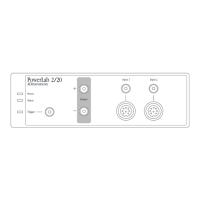
You may be using both the BNC connector and the Pod connector for
an input at the same time, with resultant signal competition.
• Make certain that you use only one of the alternative connectors
(BNC or Pod) for an input when recording.


 To Next Page