8
ADJ UC IR CONTROL
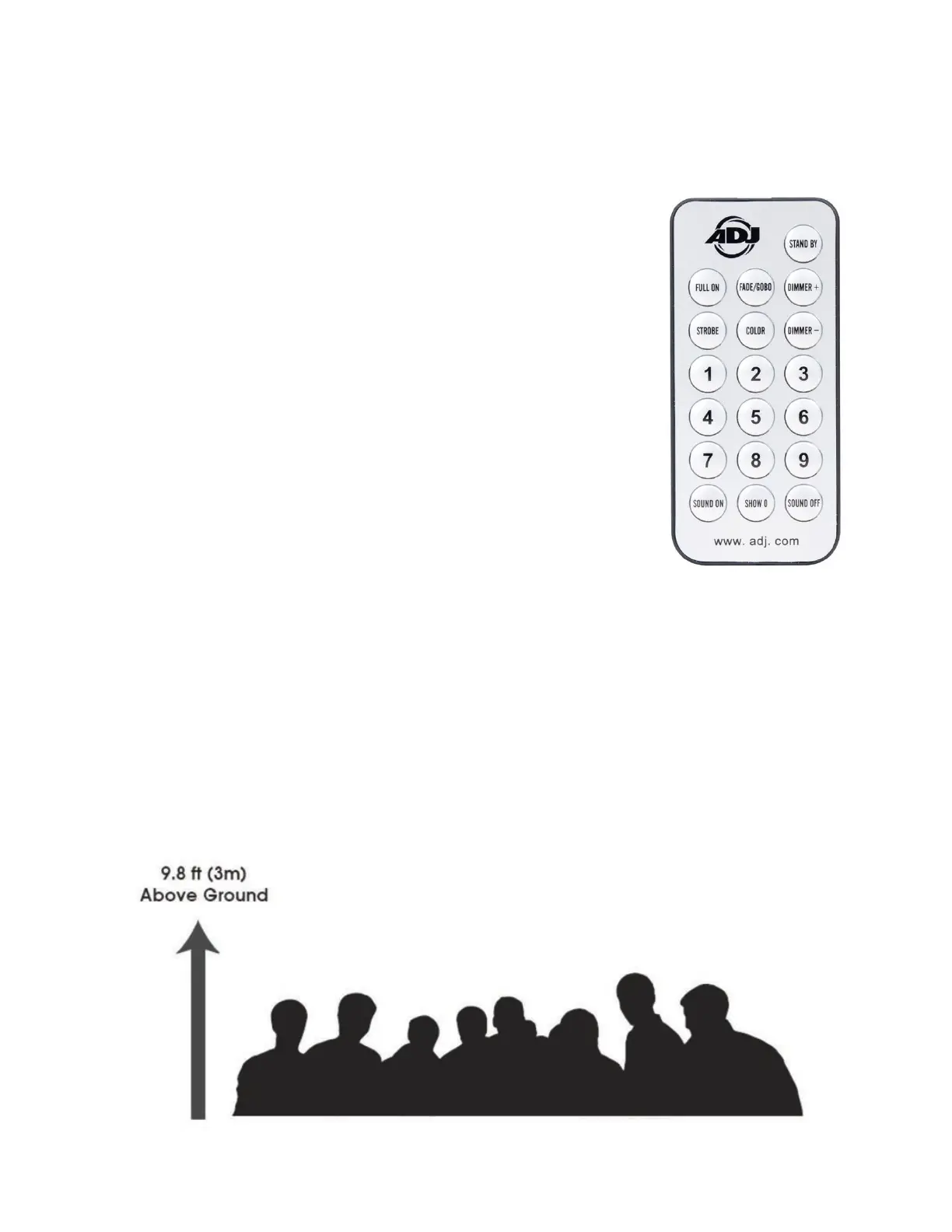
The UC IR (sold separately) infrared remote gives you control of various functions. To control the fix-
ture, you must aim the remote at the front of the fixture and be within the maximum range of 30 feet.
STAND BY - Blackout the fixture.
FULL ON - This button has no active function for this device.
FADE/GOBO - Run or stop the effect.
“DIMMER +” and “DIMMER -” - Use these buttons to adjust the
output intensity.
STROBE - This button has no active function for this device.
COLOR - This button has no active function for this device.
1-9 - These buttons have no active function for this device.
SOUND ON & OFF - These buttons have no active function for
this device.
SHOW 0 - This button has no active function for this device.
There are many factors that can affect and/or interrupt a wireless signal, including walls, glass, met-
al, objects, and people. Therefore, the following guidelines are recommended in order to maximize
the chances of having a clear path for the wireless signal to reach the device:
• Install the device a minimum of 9.8 ft (3m) above audiences and/or ground level (if mounting in a
suspended environment).
• Position devices in direct line of sight of the transmitting controller.
Careful planning and testing of the selected installation location is critical in order to ensure optimized,
reliable wireless operation.


 To Next Page