19
ADOBE FRAMEMAKER 7.0
Changing Initialization Files
Online manual
You can add more aliases to [WindowsToFrameFontAliases] and change existing ones. Follow the syntax for any
changes you make.
Mappings for unavailable fonts
When you open a document that requires fonts not available on your system, an alert box appears telling you the
document uses unavailable fonts. If you click OK, FrameMaker opens the document and substitutes the unavailable
fonts with the fonts specified under [UnknownToKnownFontMap] in the initialization file. Initially, this section has
a few lines of comments and some mappings for common Macintosh
®
fonts. You can change these mappings and
add others.
The mappings under [UnknownToKnownFontMap] must use this syntax:
unavailable_Frame_font [angle|*], [weight|*], [variation|*]=available_Frame_font [angle|*], [weight|*],
[variation|*]
The angles, weights, and variations for these mappings can be any of the ones defined in the font profile under
[Fonts]. You can also use an asterisk (*) to specify no particular angle, weight, or variation.
For example,
Lumina, *, *=Helvetica, *, *, *
Helvetica, *, Light, *=Helvetica, *, Regular, *
Helvetica, *, *, UltraCompressed=Helvetica, *, *, Narrow
If you open a document with unavailable fonts and don’t have substitutes mapped for those fonts, FrameMaker
replaces them with the default fonts defined under [Fonts] instead.
Note that the settings under [UnknownToKnownFontMap] map one FrameMaker font to another. This is different
from [WindowsToFrameFontAliases], which assigns a FrameMaker font name to an equivalent Windows font.
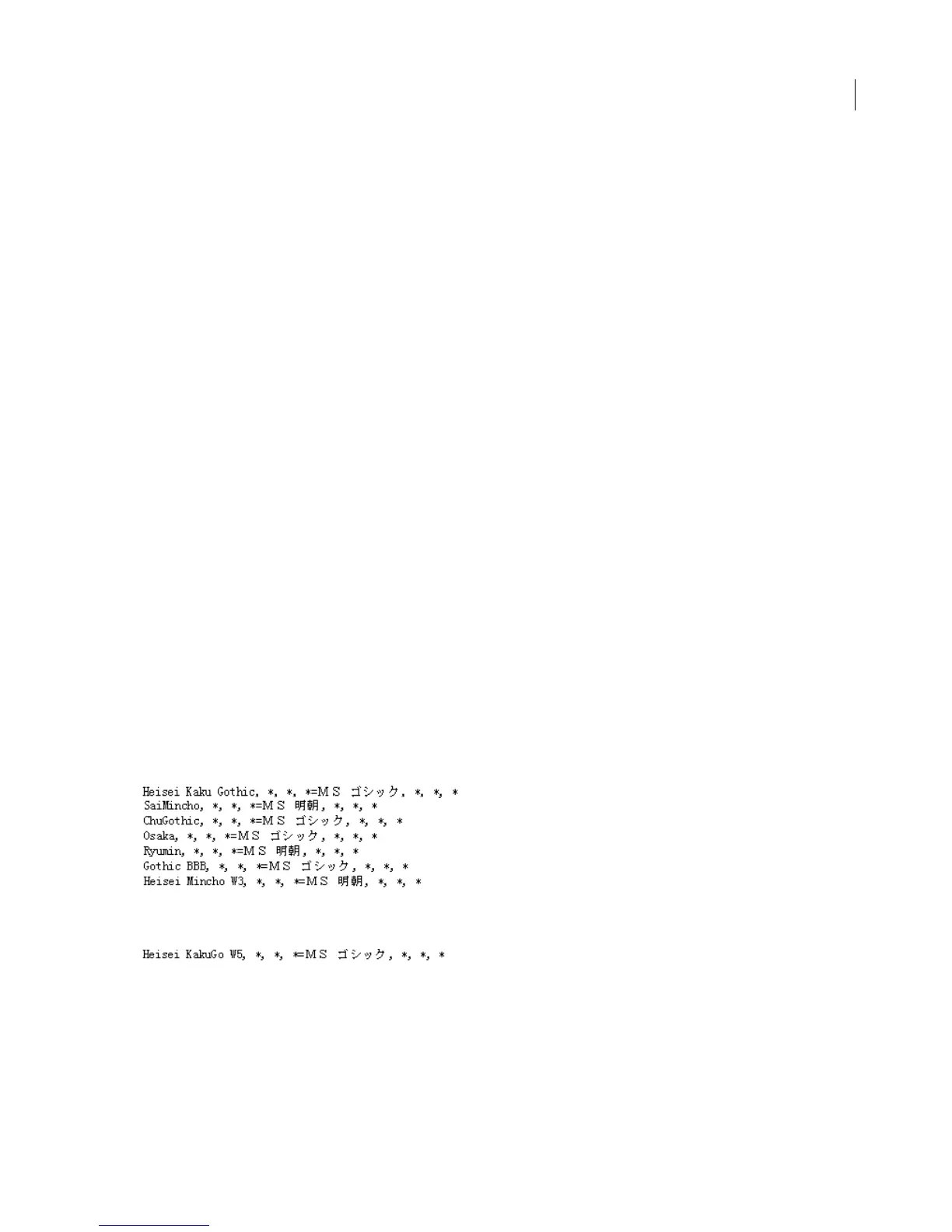
Mappings for Japanese fonts
If you open a Japanese document that was created on a Macintosh or in UNIX, you can specify what fonts to use
instead of the original ones.
The following settings apply to UNIX documents:
The following setting applies to Macintosh documents:
Filters on your system
The [Filters] section in the initialization file contains settings for identifying foreign file formats, export filters, and
import filters. FrameMaker provides these settings when you install filters. If you want to change any of the settings,
install the filters again. Do not edit the settings manually in an initialization file.



 To Next Page