LESSON 7
172
Tables
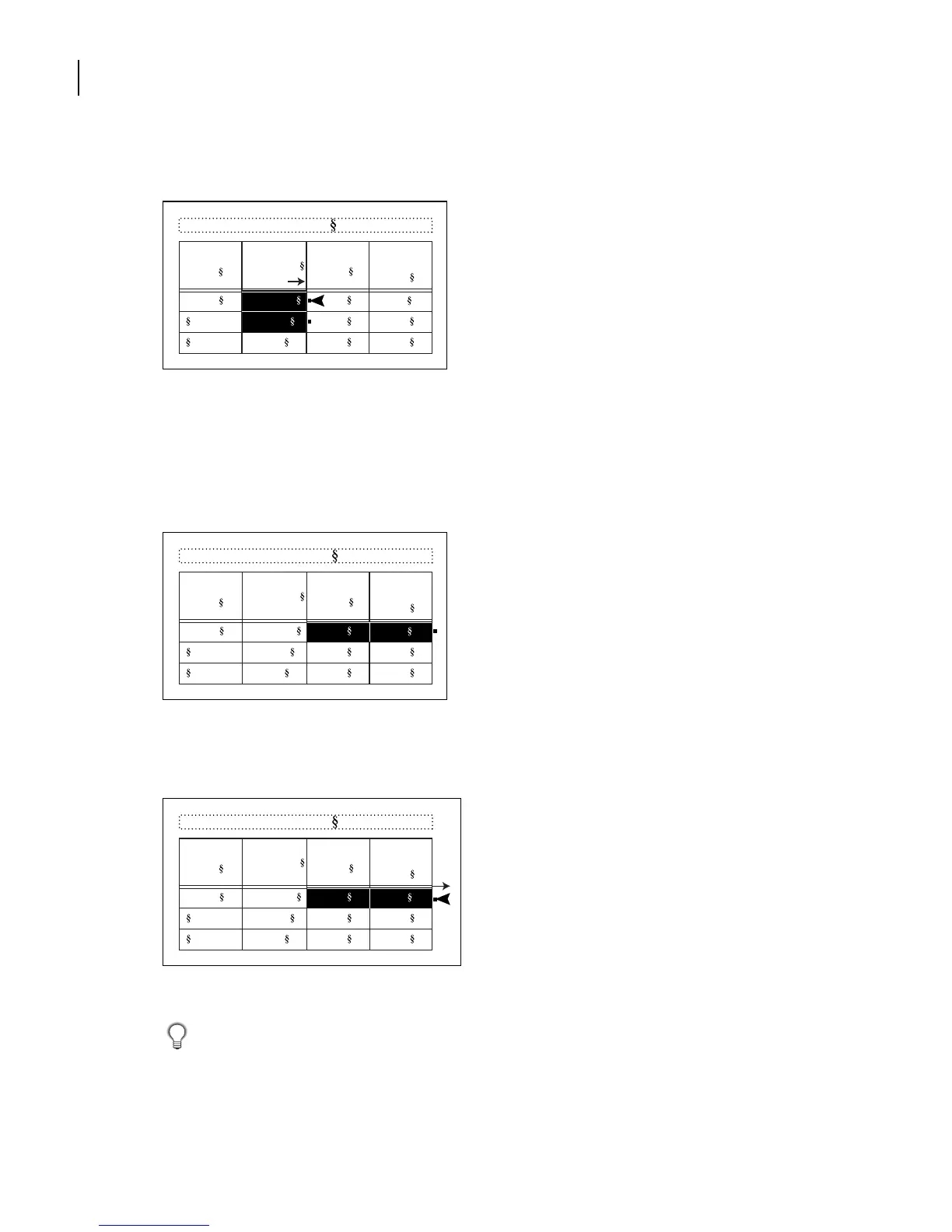
4 Drag a selection handle on the right side of the column to widen the column slightly.
The third and fourth columns are also too narrow. You’ll resize them so that the two
columns are the same width.
5 Drag from anywhere in the third column into the fourth column to select cells in
both columns.
6 Drag a selection handle about halfway to the right edge of the text frame. Both columns
are resized.
7 Save the document.
You can quickly resize a column by placing the insertion point in a cell that has the desired
column length of text and pressing Esc +t+w.
Table 1:
Resolution
(ppi)
Line
Screen
(lpi)
5 x 5 in. Newspaper 160 80
Magazine 266 133
Art book 350 175
Publication
Image
Size
Table 1:
Resolution
(ppi)
Line
Screen
(lpi)
5 x 5 in. Newspaper 160 80
Magazine 266 133
Art book 350 175
Publication
Image
Size
Table 1:
Resolution
(ppi)
Line
Screen
(lpi)
5 x 5 in. Newspaper 160 80
Magazine 266 133
Art book 350 175
Publication
Image
Size



 To Next Page