185
ADOBE FRAMEMAKER 7.0
Classroom in a Book
2
In the status bar, click the Next Page button ( ) to display page 2 of the annual report.
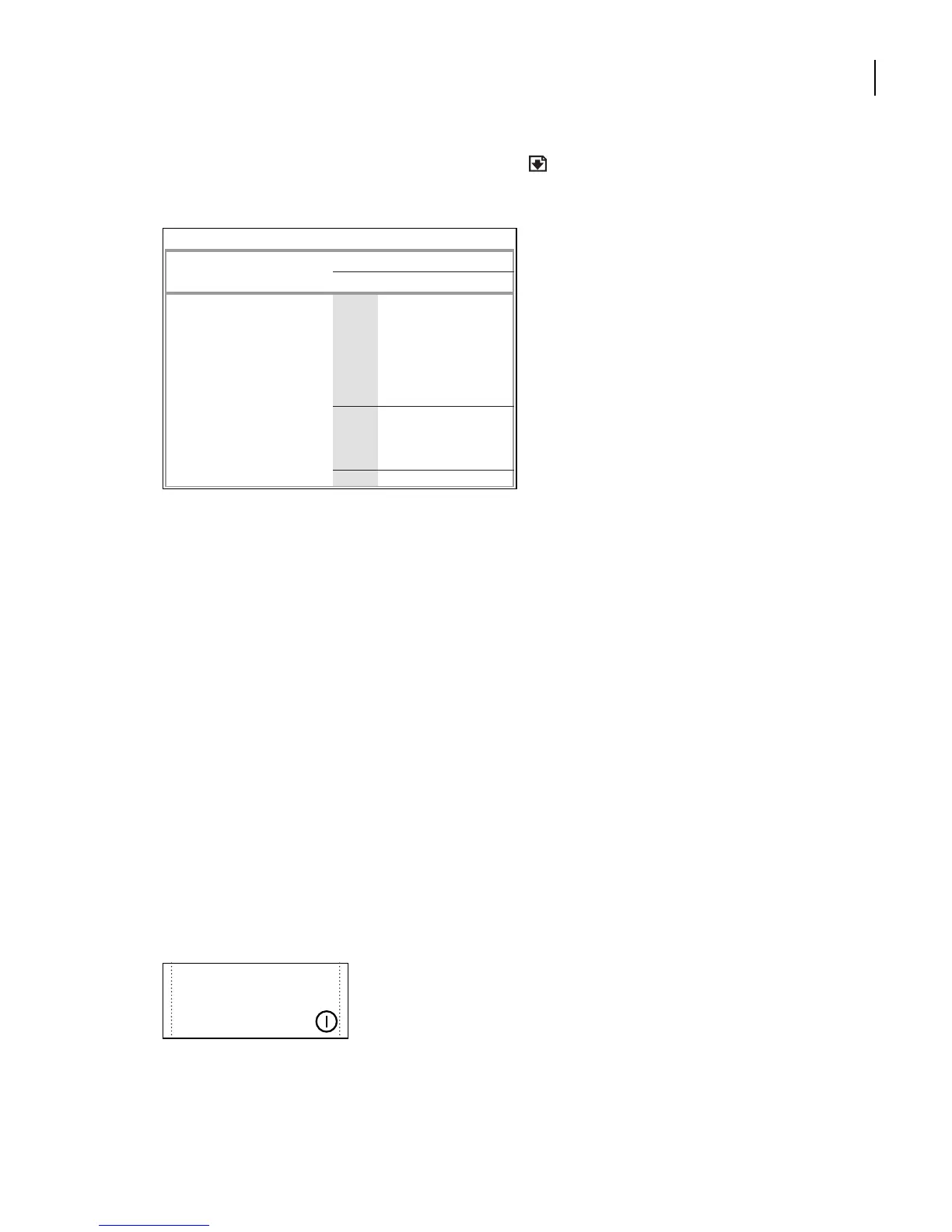
Yo u’ll re-create the table that appears at the bottom of the page.
Much of the table’s appearance is determined by the table format. For example, the rules
around the edge of the table and the rule separating the heading cells from the body of the
table are specified in the table format, as are the paragraph formats of the cells. However,
the thin rules that extend only partway across two of the rows and the shading for the
second column are specified as custom ruling and shading properties for specific parts of
the table. Custom ruling and shading are not contained in the table format.
3
Close Finished.fm. If prompted to save changes, click No.
Importing text into a table
First you’ll import some financial data into a table.
1
Open Tables.fm in the Lesson08 folder.
2
Choose File > Save As, enter the filename
Ta bles1.fm
, and click Save.
3
Display page 2 of the annual report.
4
On page 2, click at the end of the text in the right column.
5
Choose File > Import > File.
ASSETS
FISCAL YEAR
2002 2001 2000 1999
Current assets:
Cash & cash equivalents 203,461 146,992 89,557 72,429
Short-term investments
157,700 90,853 55,650 47,005
Accounts receivable
101,006 72,448 35,543 30,451
Inventories
49,349 30,557 20,512 15,627
Deferred income taxes 32,544 12,953 6,430 350
Other current assets 12,542 9,600 5,398 3,213
To tal current assets
556,602 363,403 213,090 169,075
Investments
35,601 51,525 42,508 12,954
Furniture, fixtures, and equipment, net
20,428 10,327 6,972 3,451
Other assets
3,655 2,153 1,078 446
To tal assets
616,286 427,408 263,648 185,921
During 2000, we expect to expand our
flow of product worldwide,including
flora optimized for previously inhospi-
table regions, through hybrid and
genetically altered strands of plants.



 To Next Page