LESSON 8
192
Customizing Tables
6
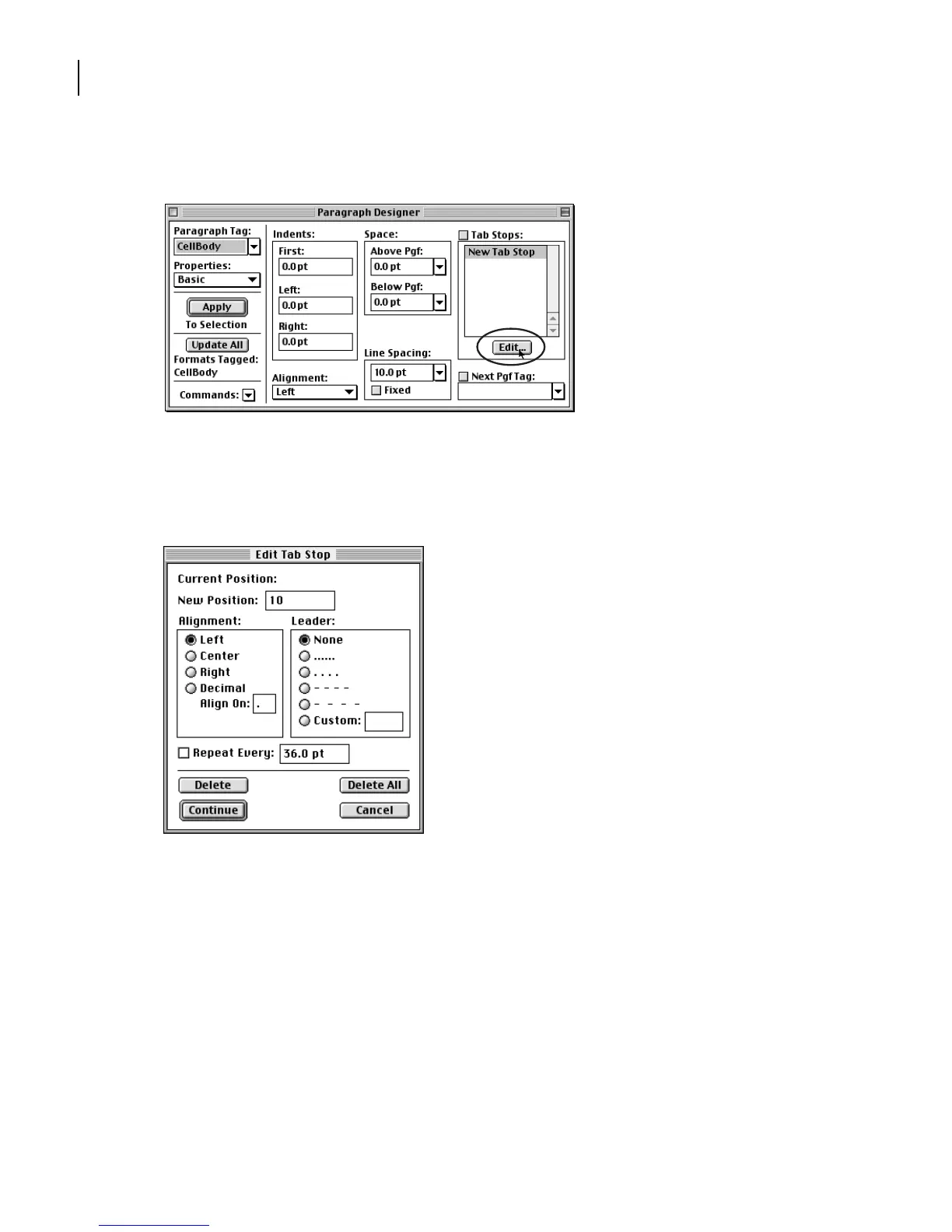
In the Tab Stops area, click Edit.
7
Enter
10 pt
in the New Position text box.
8
Make sure that the Alignment is set to Left and that the Leader is set to None. Then
click Continue.
The tab stop appears in the Tab Stops scroll list.
9
With New Tab Stop selected in the Tab Stops scroll list, click Edit again.
10
Enter
20
in the New Position text box, and click Continue.



 To Next Page