193
ADOBE FRAMEMAKER 7.0
Classroom in a Book
11
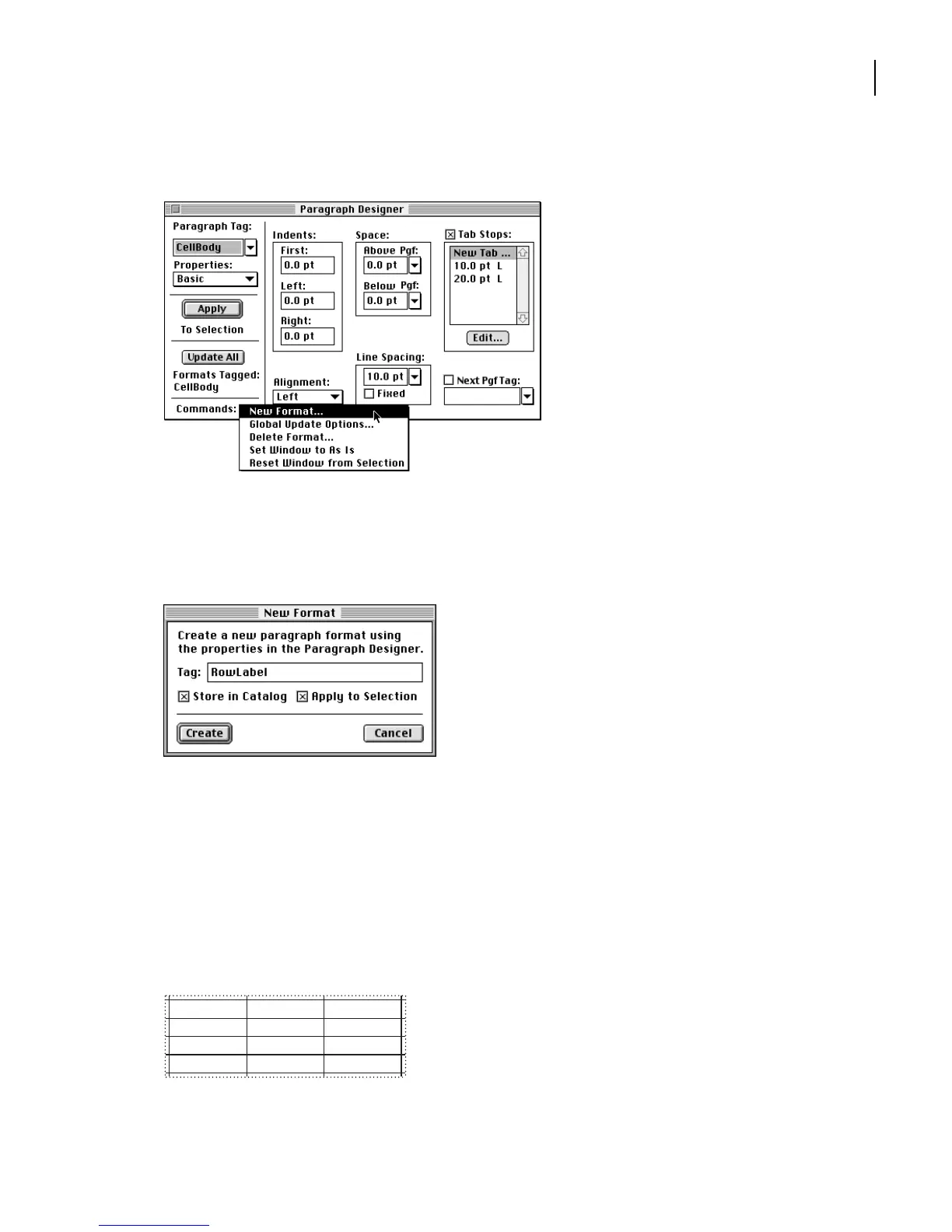
Choose New Format from the Commands pop-up menu.
12
Enter
RowLabel
in the Tag text box.
13
Make sure that both options, Store in Catalog and Apply to Selection, are selected.
Then click Create.
The current paragraph’s tag changes to RowLabel, and the RowLabel format is added to
the Paragraph Catalog.
Now you’ll change the format for the remaining body cells.
14
Click in one of the body cells that contains a numerical value.
15
In the Paragraph Designer, choose Right from the Alignment pop-up menu and click
Update All.
Body cells are right aligned.
203,461 146,992 89,557
157,700 90,853 55,650
101,006 72,448 35,543
49,349 30,557 20,512



 To Next Page