199
ADOBE FRAMEMAKER 7.0
Classroom in a Book
Defining ruling styles
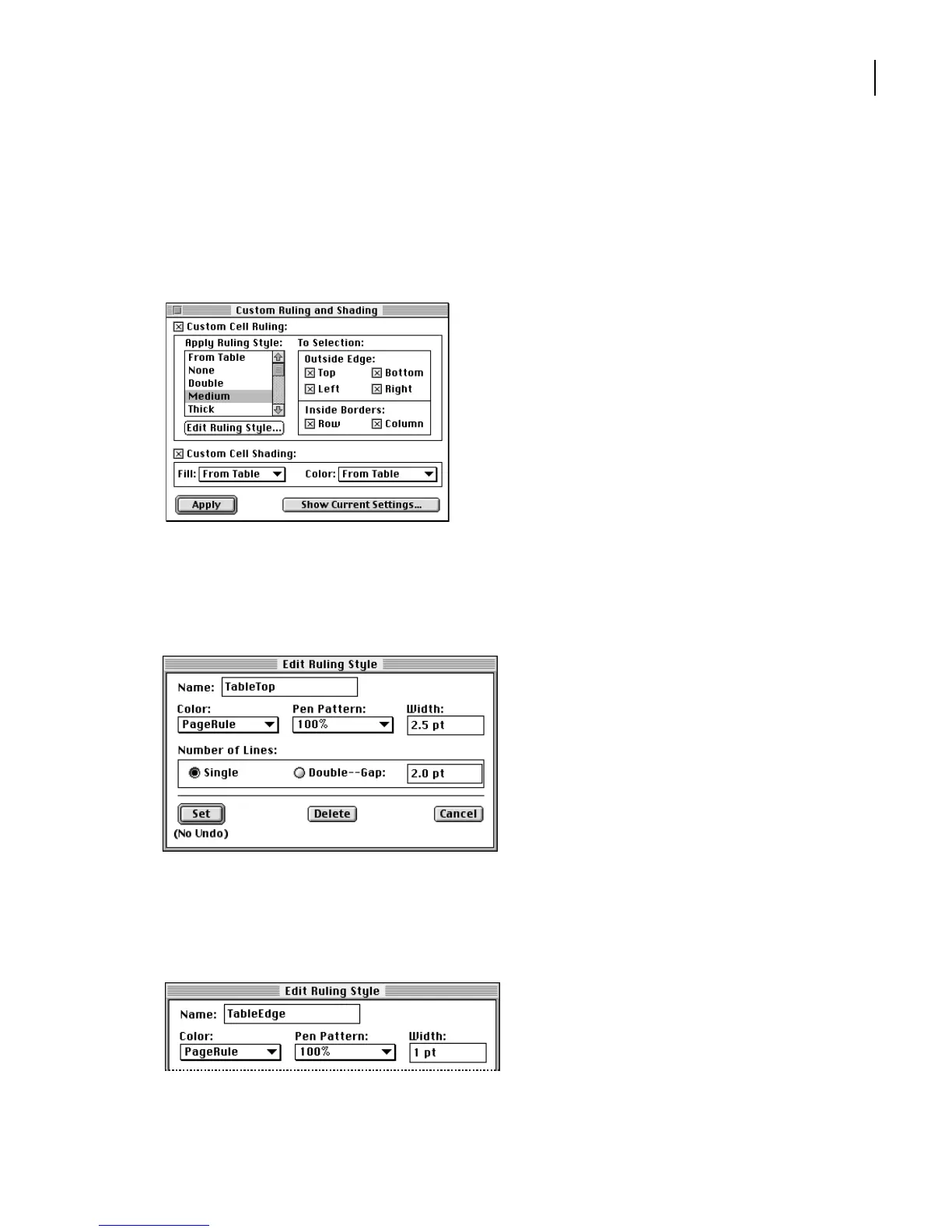
To make the table appear with the ruling called for in the design, create two ruling styles.
1 Choose Table > Custom Ruling & Shading. The available ruling styles appear in the
Apply Ruling Style scroll list.
2 Select Medium in the Apply Ruling Style scroll list and click Edit Ruling Style.
3 Type Ta b leTop in the Name area. Change the Color to PageRule and the Width to 2.5
points. Click Set.
4 In the Apply Ruling Style area, select TableTop. Then click Edit Ruling Style again.
5 Type Ta b leEdge in the Name area and change the Width to 1 point. The color is already
set to PageRule. Click Set and close the Custom Ruling and Shading dialog box.



 To Next Page