213
ADOBE FRAMEMAKER 7.0
Classroom in a Book
11
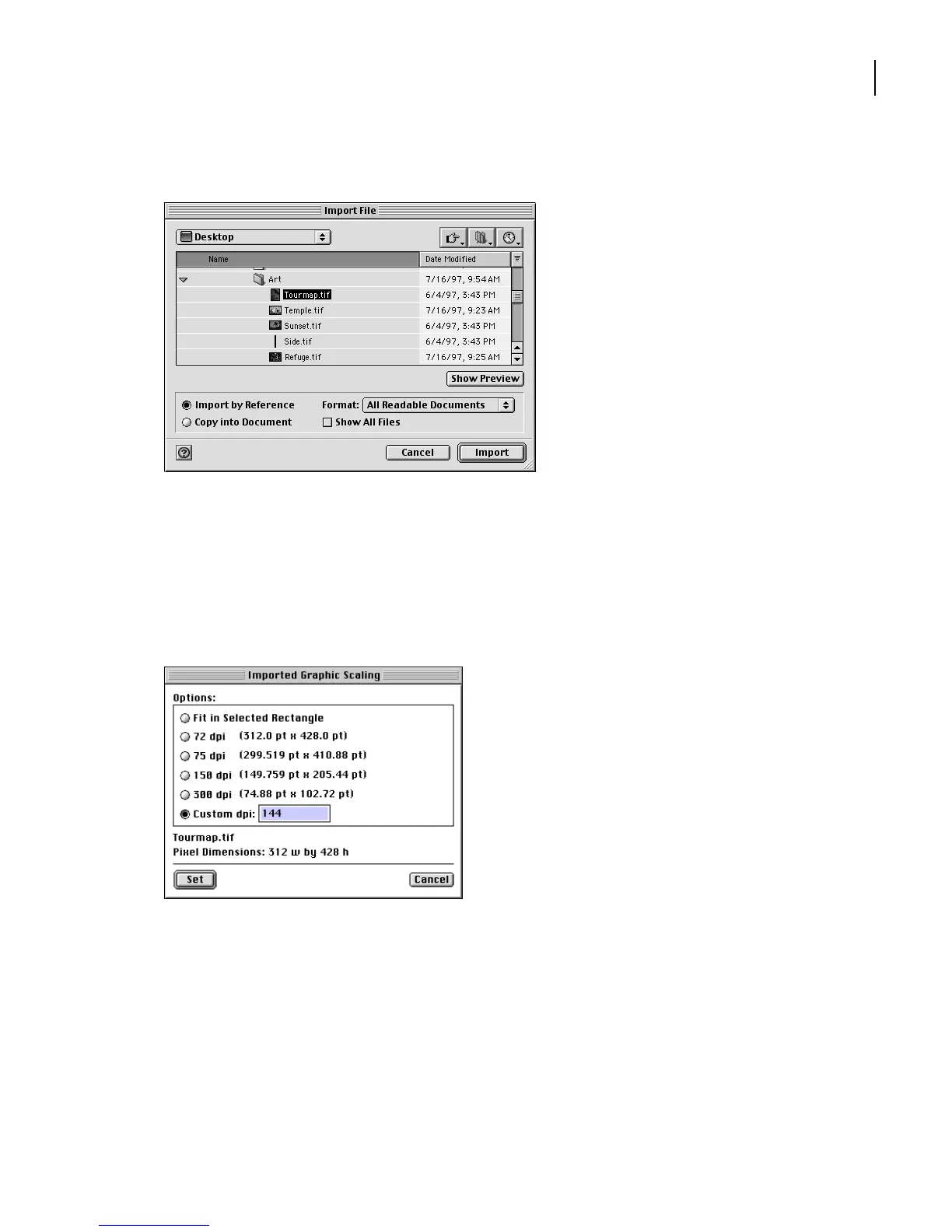
Select Import by Reference and click Import.
When you import by reference, the graphic file isn’t stored in the document. Instead, the
document contains a pointer to the graphic file, keeping the file size down. The graphic
in the document will be updated automatically whenever the stored file is changed.
12
The Import Graphic Scaling dialog box appears. If it isn’t already set to this, select
Custom and enter
144
in the Custom dpi text box to specify the size of the graphic. Click Set.
Note:
If you had entered 72 dpi, the graphic would have appeared full-sized. You specified
twice as many dots per inch (144), so the graphic appears at half of its full size.
FrameMaker 7.0 supports import and export of many types of graphics file formats,
including SVG and movies. For more information about file formats, see Chapter 18,
“Importing, Linking, and Exporting,” in the
Adobe FrameMaker 7.0 User Guide
.



 To Next Page