LESSON 10
254
Cross-References and Footnotes
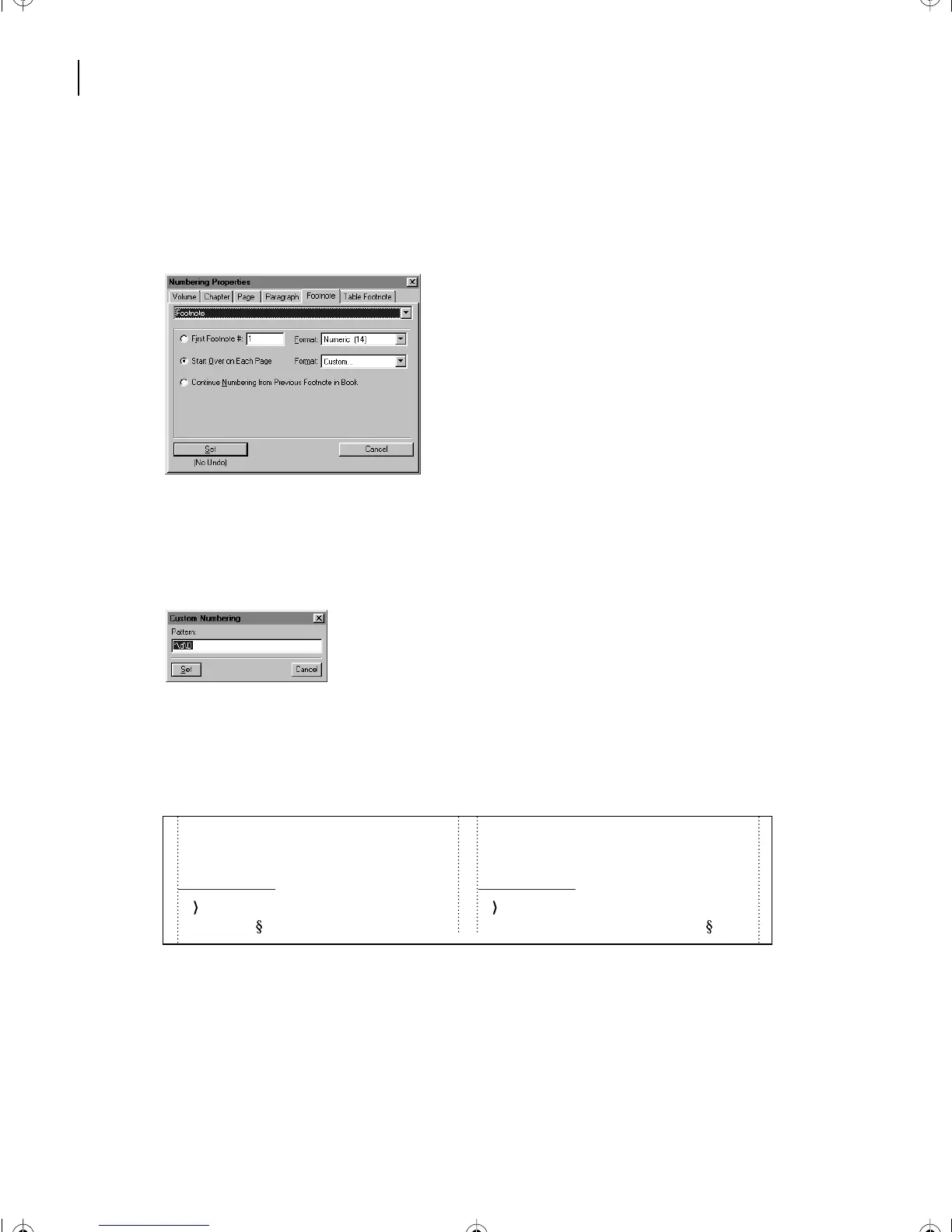
First you’ll change the footnote numbering.
1 Choose Format > Document > Numbering.
2 Choose Footnote from the top pop-up menu.
3 Click Start Over on Each Page, then choose Custom from the Format pop-up menu.
In Windows and on UNIX systems, the Custom Numbering dialog box contains \d and
\D. These are backslash sequences for a dagger (†) and a double-dagger (‡).
4 Click Set, then click Set again.
The first footnote now appears with an asterisk, and the second one now appears with
a dagger.
After the 96-mile marker is a lava road
leading to the sea. It goes to Kaloko-
Honokohau National Historical Park.
times Kailua Town. Kailua-Kona is nes-
tled in the lee of Hualalai Volcano,
meaning that it is sheltered from the trade
* The lab gives free hour-long tours every
Thursday.
† Many of the great chiefs of old chose
this part of the island as their home.
L10.fm Page 254 Saturday, July 6, 2002 12:17 PM



 To Next Page