LESSON 10
256
Cross-References and Footnotes
Making footnotes span columns
In the sample you’ve been working with, each footnote appears at the bottom of the
column that contains the footnote reference. By changing the paragraph format for the
footnote, you’ll make the footnotes span the columns.
1 Click in a footnote at the bottom of a page. Note that the status line’s tag area displays
Footnote. This is the tag of the format you’ll change.
2 Choose Format > Paragraphs > Designer.
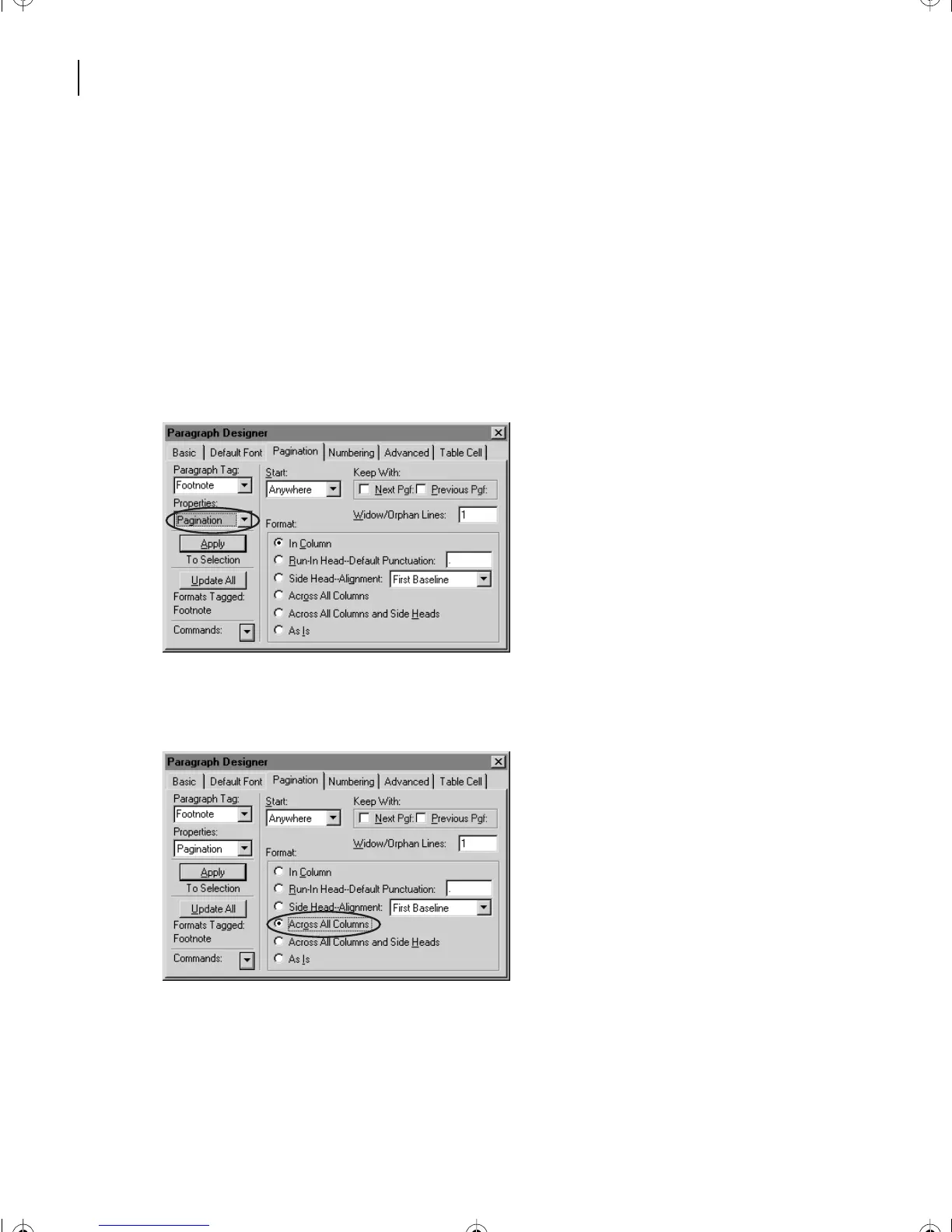
3 Choose Pagination from the Properties pop-up menu.
4 In the Format area, select Across All Columns. This will allow the footnotes to span the
columns in the text frame.
L10.fm Page 256 Saturday, July 6, 2002 12:17 PM



 To Next Page