295
ADOBE FRAMEMAKER 7.0
Classroom in a Book
Adding a title
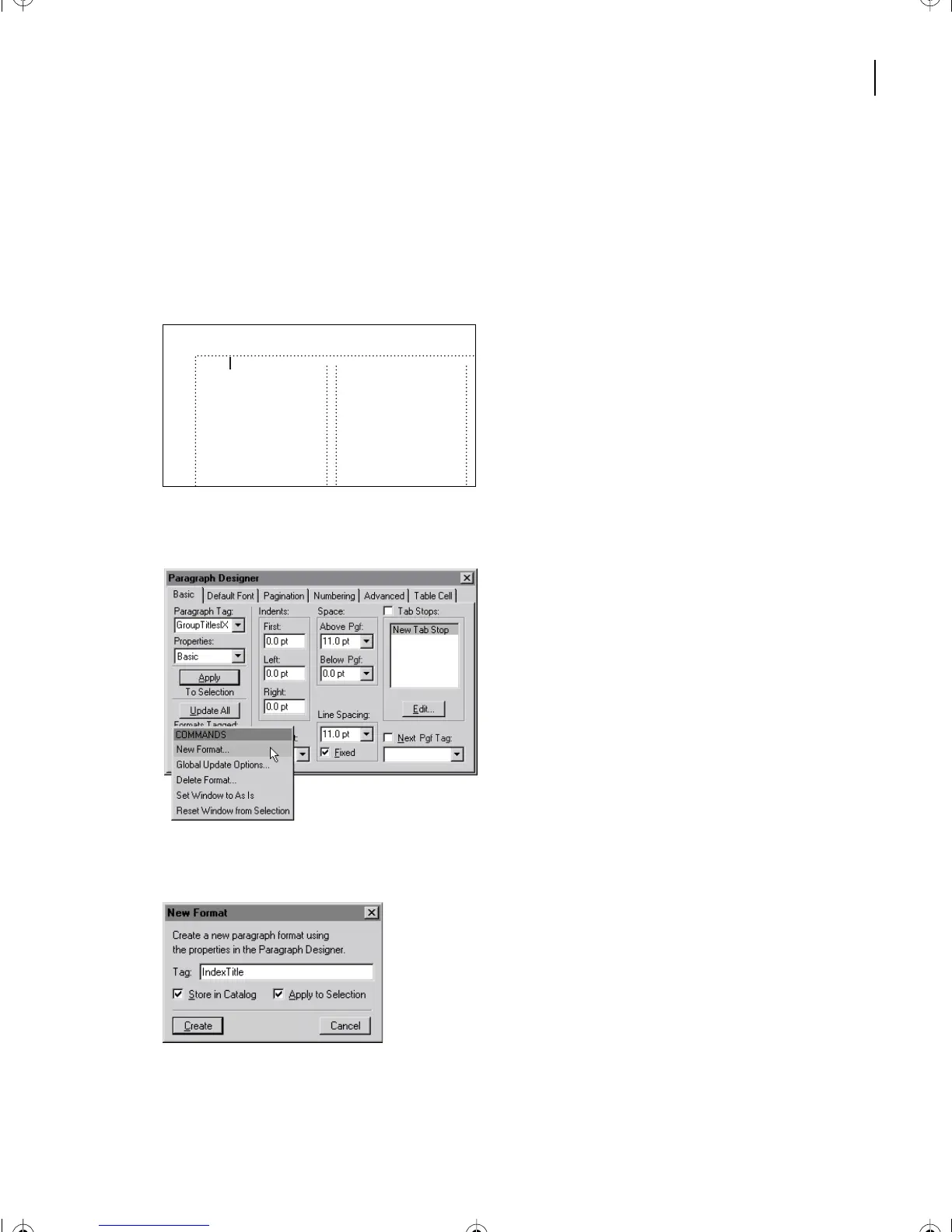
Before you format the index entries, you’ll add a title.
1
Click at the beginning of the first paragraph of the index (on the left side of the group
title
A
) and press Return.
2
Click in the new empty paragraph and type
Index
.
3
Choose Format > Paragraphs > Designer.
4
Choose New Format from the Commands pop-up menu.
5
Enter
IndexTitle
in the Tag text box.
6
Make sure that both options, Store in Catalog and Apply to Selection, are selected.
7
Click Create.
Index
screening 10
systems for
managing
19
A
Additive color model 7
B
Binding 24
Bitmap image
defined 13
resolution of 15
tints of 10
Color bars 55
Color gamut 8
Color management
L12.fm Page 295 Monday, July 8, 2002 1:28 PM



 To Next Page