LESSON 12
304
Indexes
1 Choose View > Body Pages.
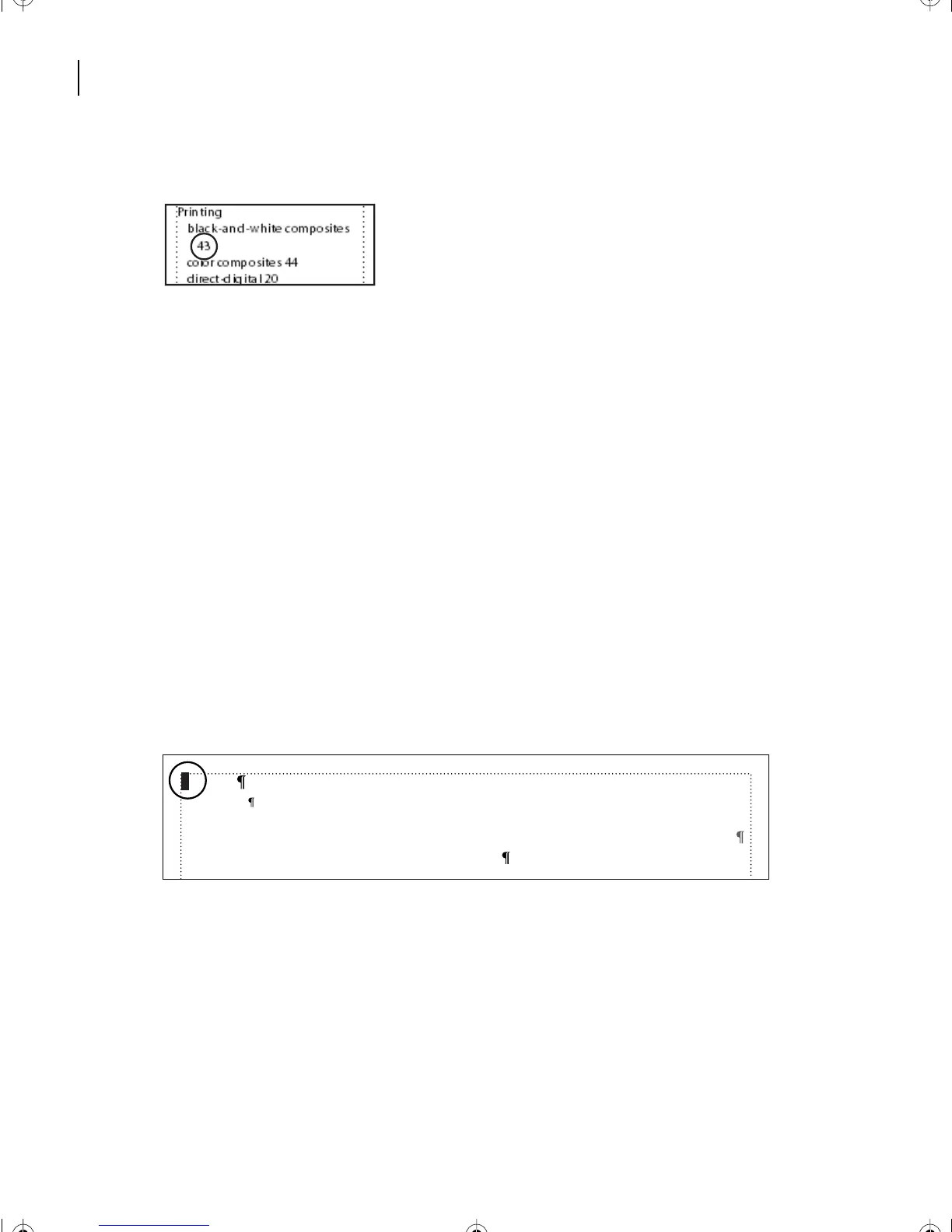
You can fix this problem by changing the character that separates the entry text from the
first page number. An index entry such as Proofing 41, 42–47 uses three types of
separators:
• The separator between the entry text and the first page number (in this sample, a space).
• The separator between page numbers (a comma and a space).
• The separator between numbers in a page range (an en dash, –).
You can change any of these separators in an index. In this section, you’ll change the space
after the entry text to a comma followed by a nonbreaking space. This change will prevent
bad line breaks after the entry text.
The separators that FrameMaker 7.0 uses are stored on the IX reference page.
2 Choose View > Reference Pages.
3 Choose View > Text Symbols to display text symbols.
4 Select the space at the beginning of the SeparatorsIX paragraph.
5 Type a comma and then enter a nonbreaking space by doing one of the following:
• (Windows and UNIX) Press Control+space.
1, 2–3
Level2IX
Symbols[\ ];Numerics[0];A;B;C;D;E;F;G;H;I;J;K;L;M;N;O;P;Q;R;S;T;U;V;W;X;Y;Z
<$symbols><$numerics><$alphabetics>
L12.fm Page 304 Monday, July 8, 2002 1:28 PM



 To Next Page