LESSON 13
324
Conditional Text
•
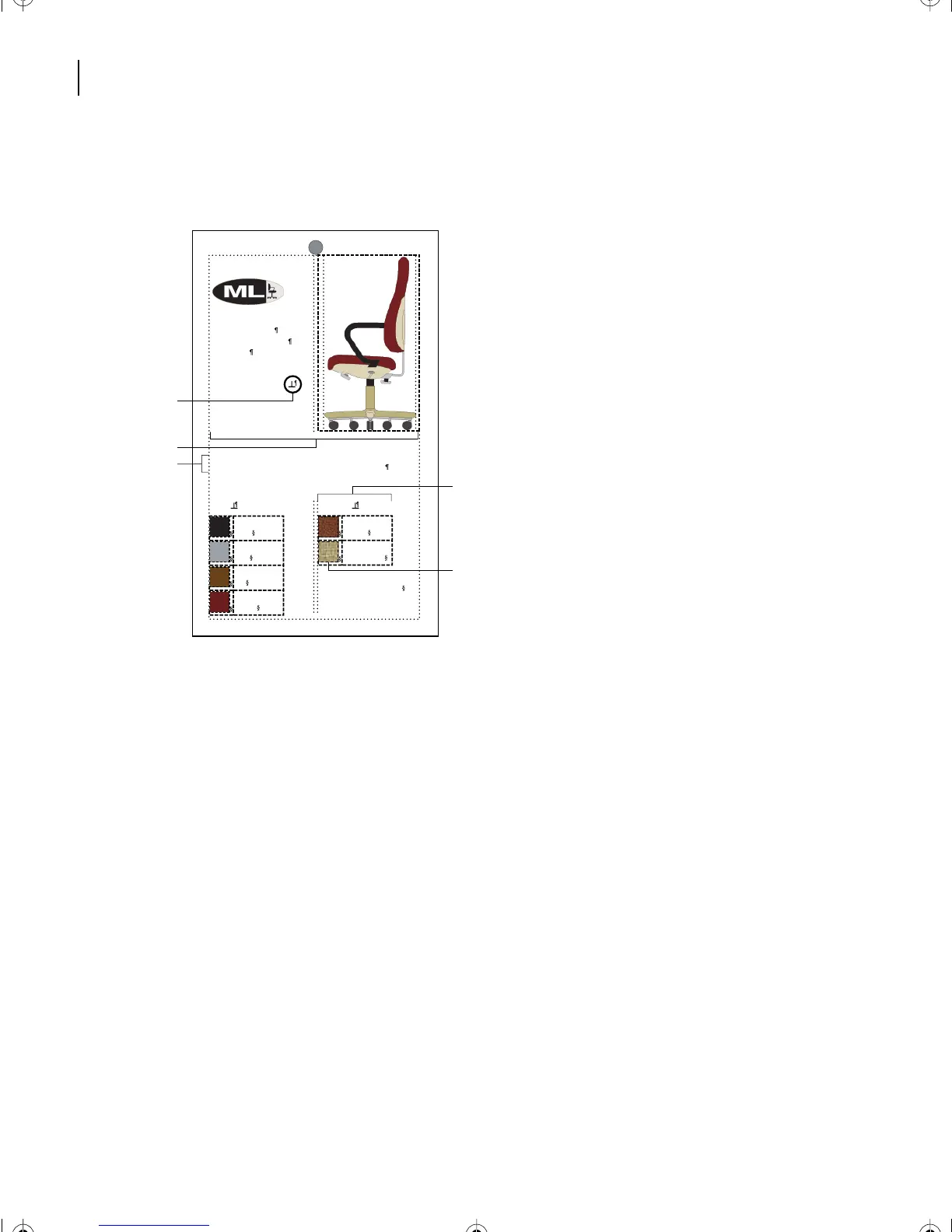
The colors and coverings at the bottom of the card are arranged in tables. Each color
swatch in the table is in an anchored frame.
A.
Anchor symbol
B.
Tw o-columns
C.
Paragraph
spans columns
D.
Ta b l e
E.
Anchored frame
Now that you’re more familiar with the document, you’re ready to begin working with
conditional text.
Creating condition tags
First you’ll create the condition tags that will indicate the new version of this document.
1
If the Conditional Text dialog box isn’t open, choose Special > Conditional Text.
2
Click Edit Condition Tag.
3
Replace the contents of the Tag text box with
Professional
.
ModuLine CEO
High-Back Of ce Seat
Model 225K
Completely adjustable
Ergonomically designed
The CEO is our deluxe office chair with full lumbar support and
adjustable seat angle, height, and backrest positions.
Colors Coverings
All fabric is pretreated with
stain and moisture guard.
Black
Gray
Ta n
Sienna
Leather
Natural Wool
A
D
E
B
C
L13.fm Page 324 Saturday, July 6, 2002 12:42 PM



 To Next Page